
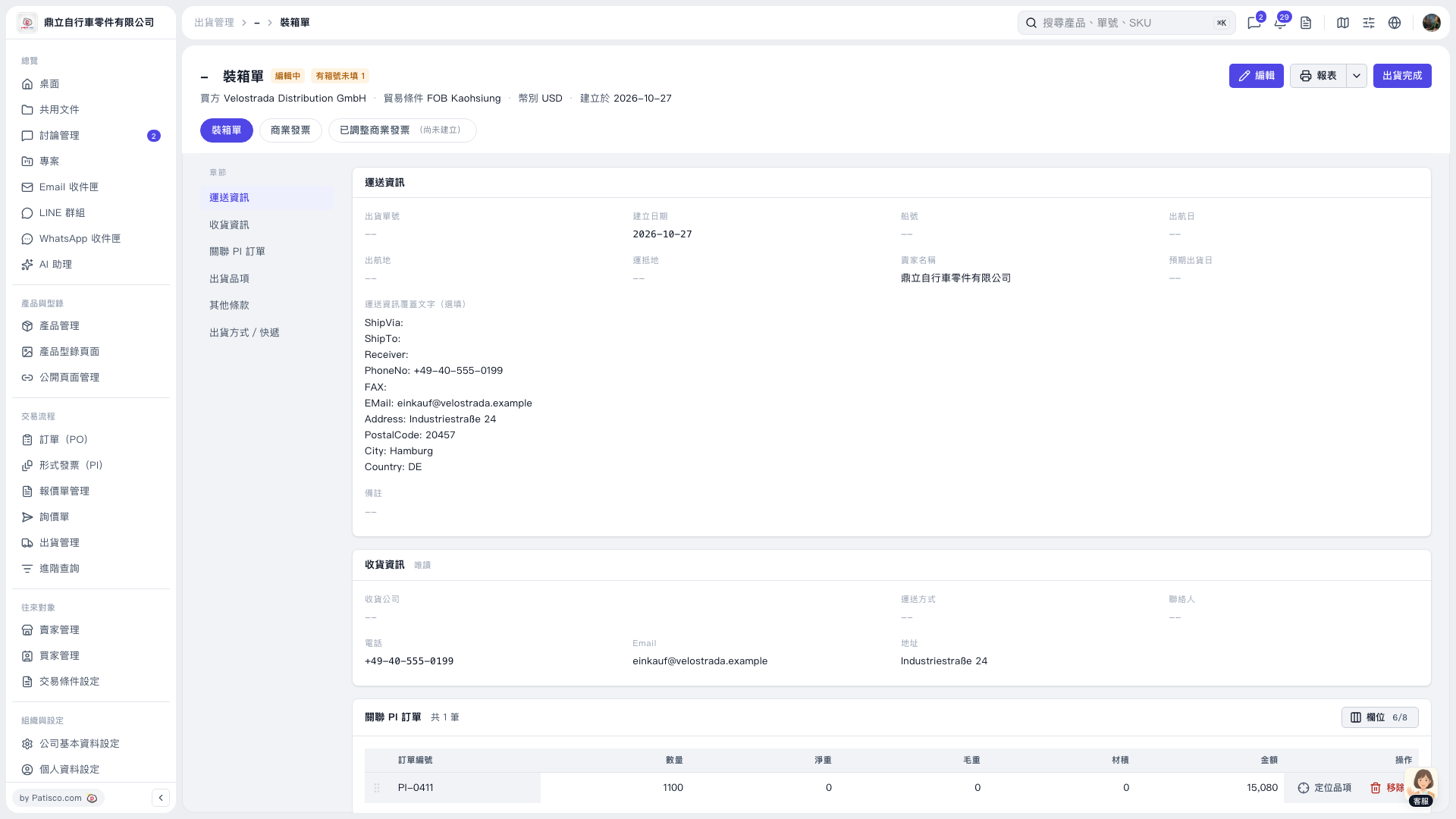
This notice means that some shipment items in the packing list do not have carton numbers. To fill them in: 1. Check the “Missing carton numbers” notice next to the title to see how many items are missing carton numbers. 2. Click “Shipment Items” in the section navigation on the left of the content area, or click [Locate Item] in the actions column of the relevant row in the “Related PI POs” list to find the items missing carton numbers. 3. Click [Edit] in the upper right to enter edit mode, then fill in the carton numbers. 4. If needed, also enter the net weight, gross weight, and volume. These fields display 0 when left blank. 5. Save when you are done.
 V5 新桌面版|裝箱單