
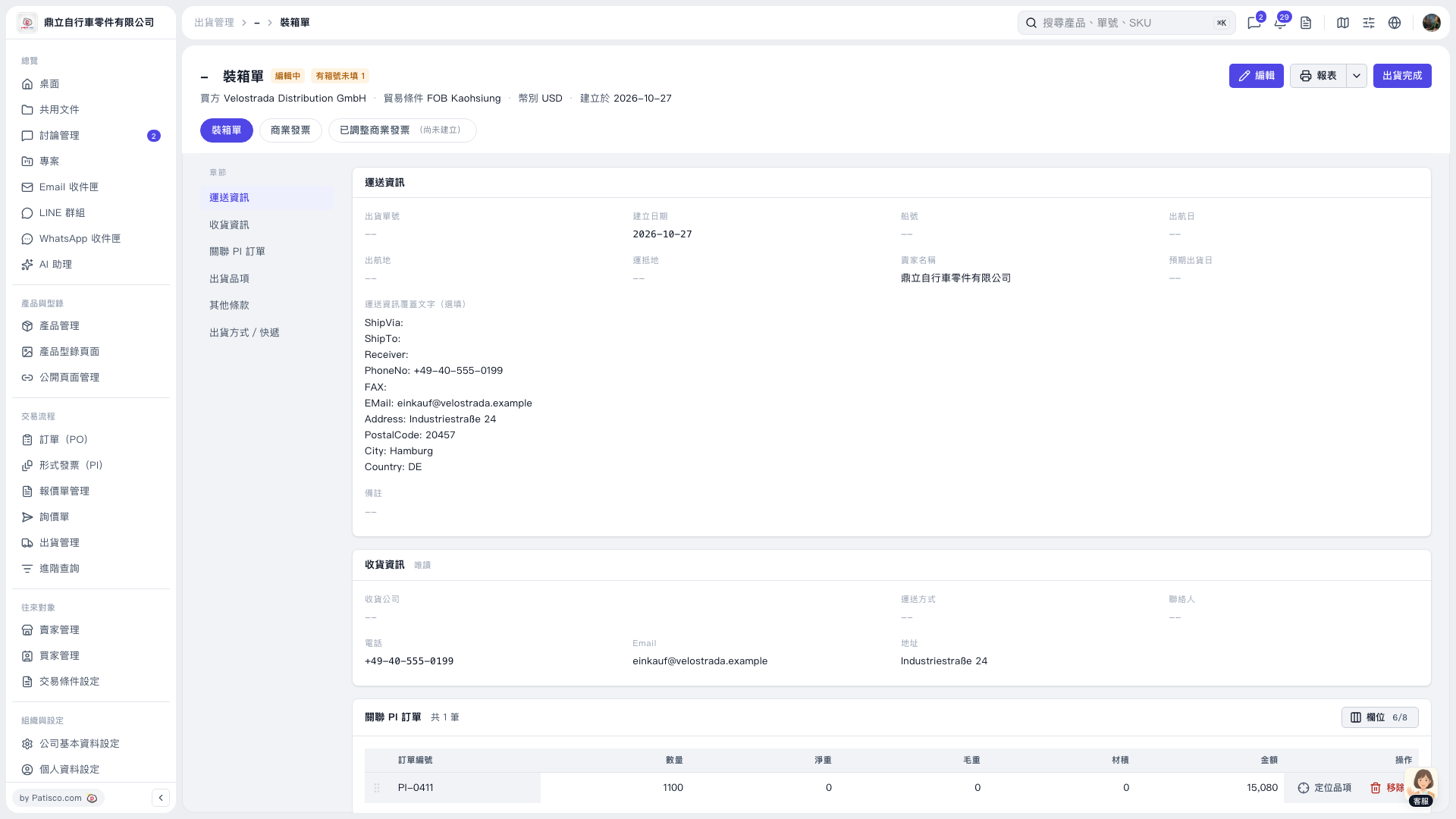
1. Click [Edit] in the upper right to enter edit mode. 2. Complete the shipping information, such as the shipment number, vessel number, departure date, place of departure, and destination. You can also update the recipient information. 3. Save and check that the information is correct. 4. To print or export, click [Reports] in the upper right. Use the dropdown arrow next to it to select other report formats. 5. When everything is complete, click [Shipment Complete] in the upper right to mark this packing list as shipped. Tip: Use the “Packing List / Commercial Invoice / Adjusted Commercial Invoice” tabs below the title to switch views. Use the section navigation on the left (Shipping Information, Recipient Information, Related PI POs, Shipment Items, Other Terms, and Shipping Method / Courier) to jump to the corresponding section.
 V5 新桌面版|裝箱單