
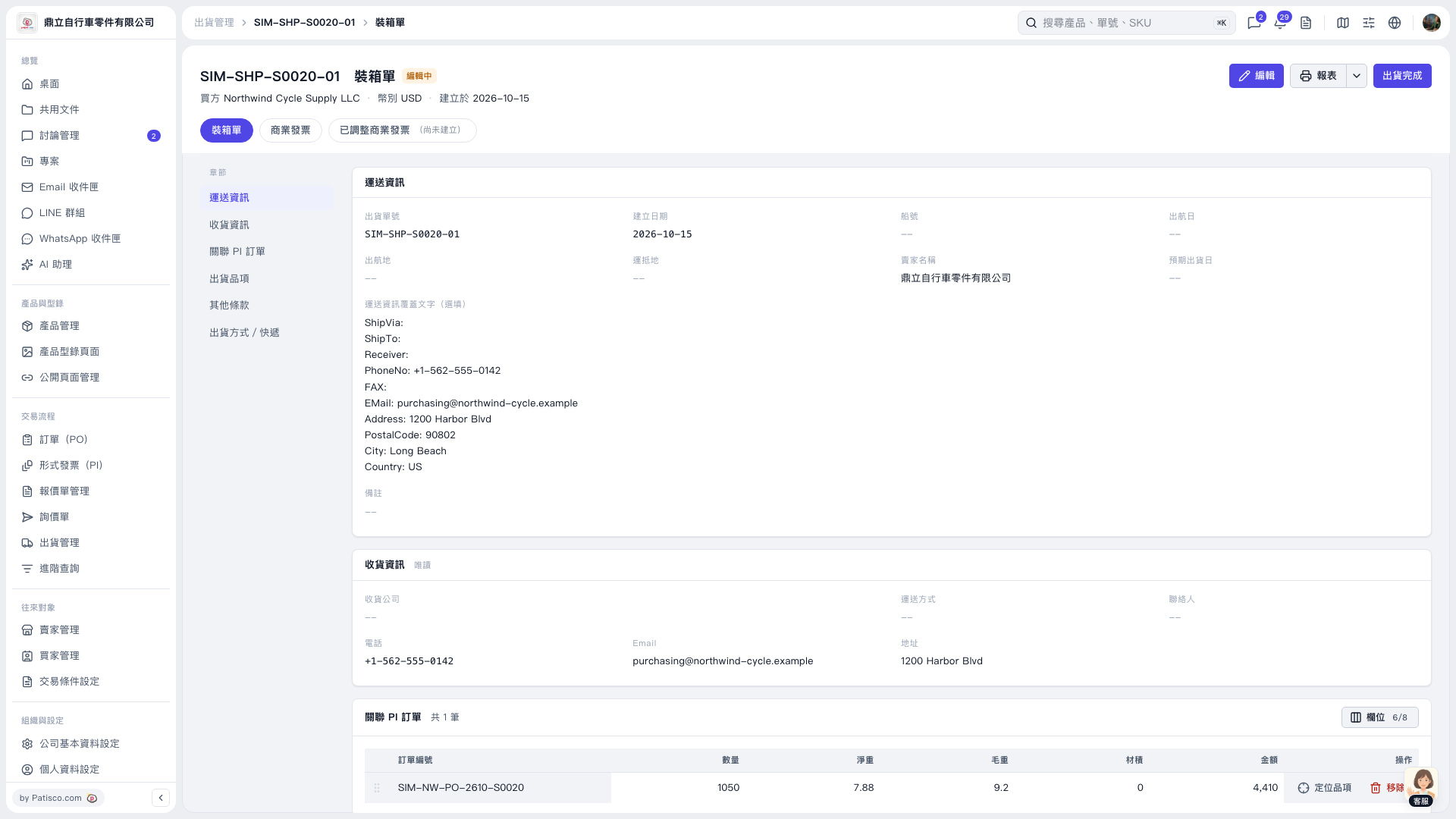
1. Open the packing list page for the shipment document. 2. Click [Reports] to the right of [Edit] in the upper right to print or export the packing list report. 3. To select another report, click the dropdown arrow next to [Reports] and make your selection. You can also use the tabs below the title to switch between “Packing List,” “Commercial Invoice,” and “Adjusted Commercial Invoice.” If an adjusted commercial invoice has not been created, that tab will indicate that it has not been created yet.
 V5 新桌面版|SIM-SHP-S0020-01 裝箱單