
1. Click “Projects” in the left sidebar and open the project you want to work on. 2. Check the flowchart in the “Company Workflow” section to confirm that the current step is “Payment Collection.” 3. Read the “Current: Payment Collection” notice. It tells you what is still missing, such as a PI that has not been marked as paid, and how many days you have been waiting. 4. Click the blue [Open PI to Check Payment] button, or the link with the same name in the status bar, to open the Proforma Invoice (PI) and check whether the customer has paid. 5. Once payment has been received, the system will automatically complete this step according to “Automatically Check Off Based on Documents.” 6. If you do not want to wait for the document, click [Mark as Done Without Waiting for Documents] below to mark “Payment Collection” as complete directly.
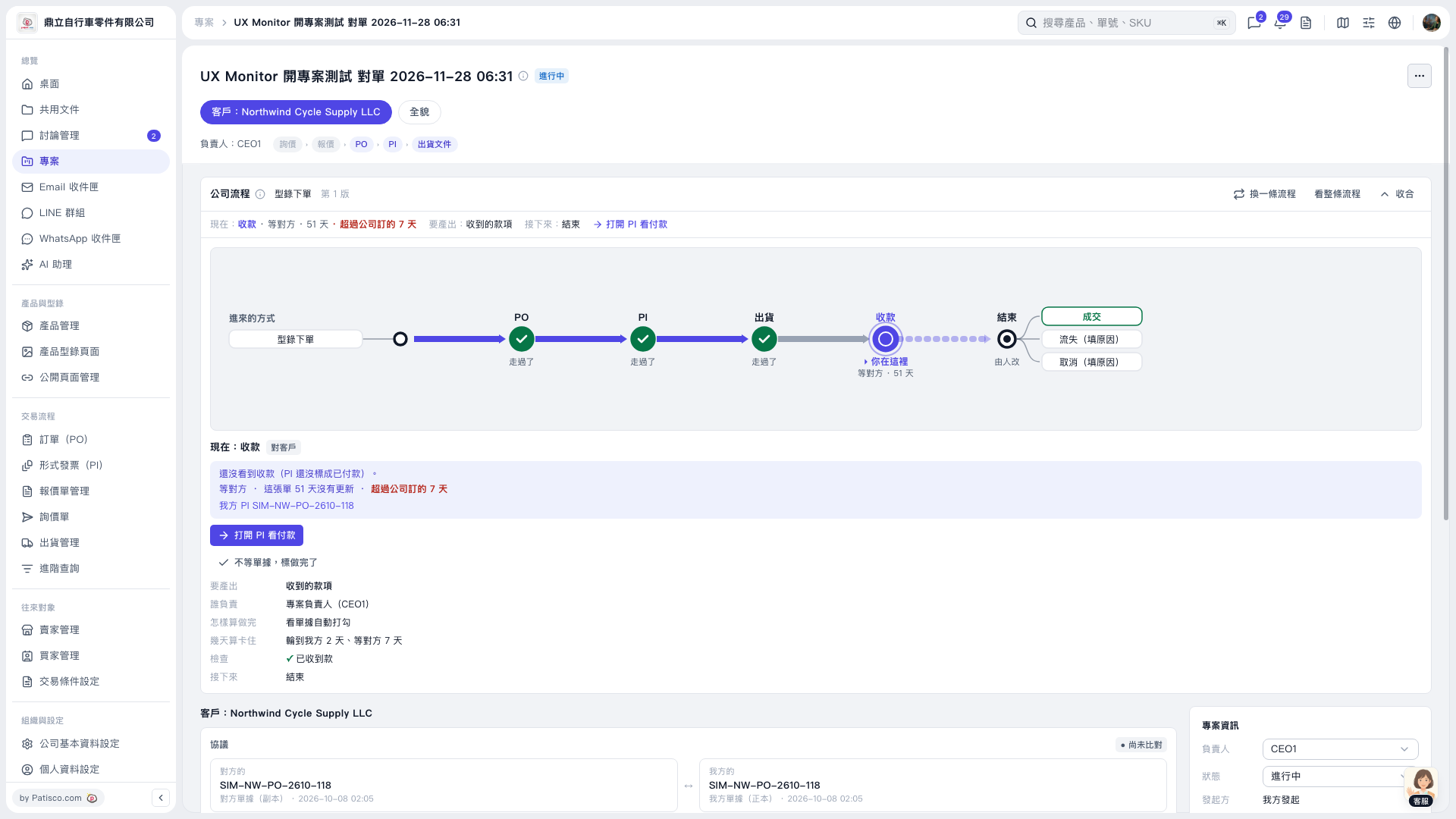 V5 新桌面版|UX Monitor 開專案測試 對單 2026-11-28 06:31