
1. Open the project and scroll down to the “Agreement” section. 2. Compare “Their Documents” and “Our Documents” here to check whether the document numbers match. 3. To change the person in charge or the project status, use the “Person in Charge” and “Status” dropdowns in the “Project Information” panel in the lower right. 4. To change the workflow used by this project, click [Change Workflow] in the upper right of the “Company Workflow” section. Click [View Full Workflow] to see the full flowchart, or [Collapse] to collapse the section. Known behavior: A document can be linked to only one project. If you try to link a document that is already in another project, the system will display “This document is already in another project and cannot be linked to this project.” Check the original project first.
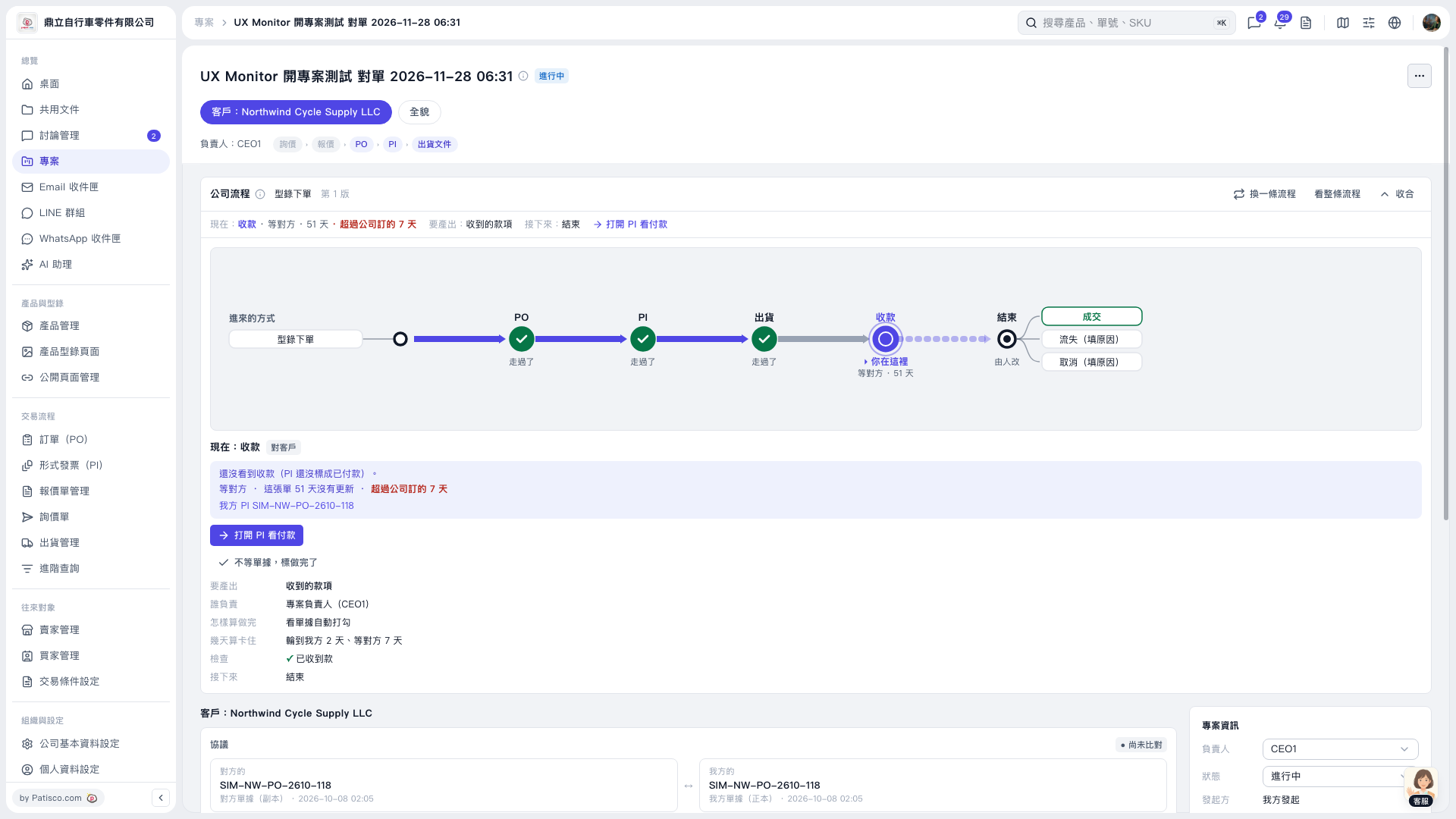 V5 新桌面版|UX Monitor 開專案測試 對單 2026-11-28 06:31