
1. Click [Apply Workflow] on the right of the notification banner at the top of the project page. 2. The system will apply the company workflow to this project. The reminder at the top will then show the current stage and what to do next. 3. Next, go to “Project Information” on the right to check or adjust “Person in Charge” and “Status.” If you need to add a business contact, click [Add Contact] on the right of the “Contacts” row. 4. To keep a record, enter text in “Internal Notes” and click [Submit], or click [Log a Call] to record a phone call.
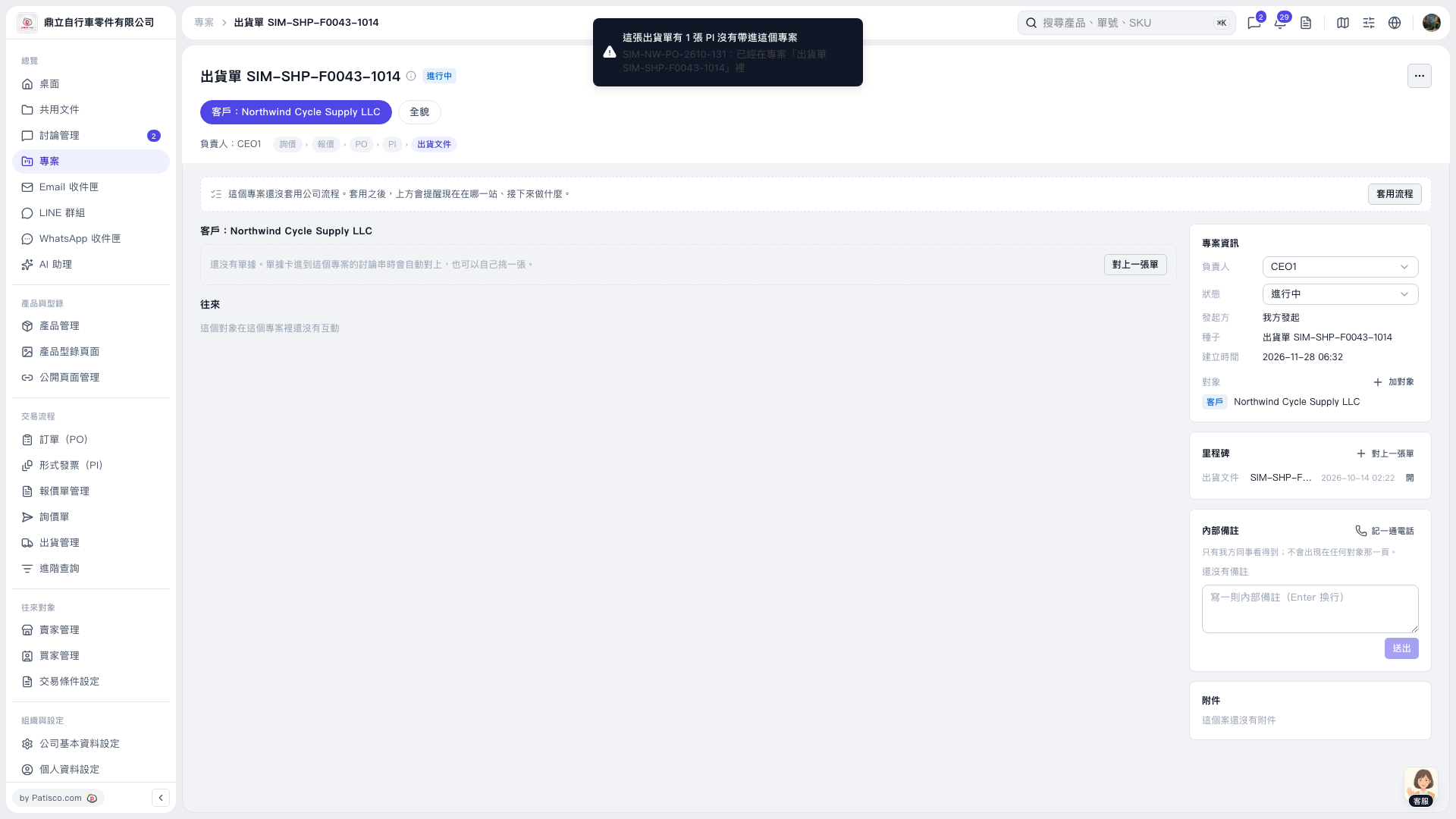 V5 新桌面版|出貨單 SIM-SHP-F0043-1014