
1. Open the project you want to work on and check the project title, status, and customer at the top. 2. To apply the company workflow, click [Apply Workflow] on the right side of the notification banner at the top of the page. Once applied, the banner will show the current stage and what to do next. 3. To add business contacts, such as customers or sellers, go to the "Project Information" card on the right and click [Add Contact] on the right side of the "Contacts" row. 4. To change the person in charge or the status, use the dropdown menus in the same "Project Information" card.
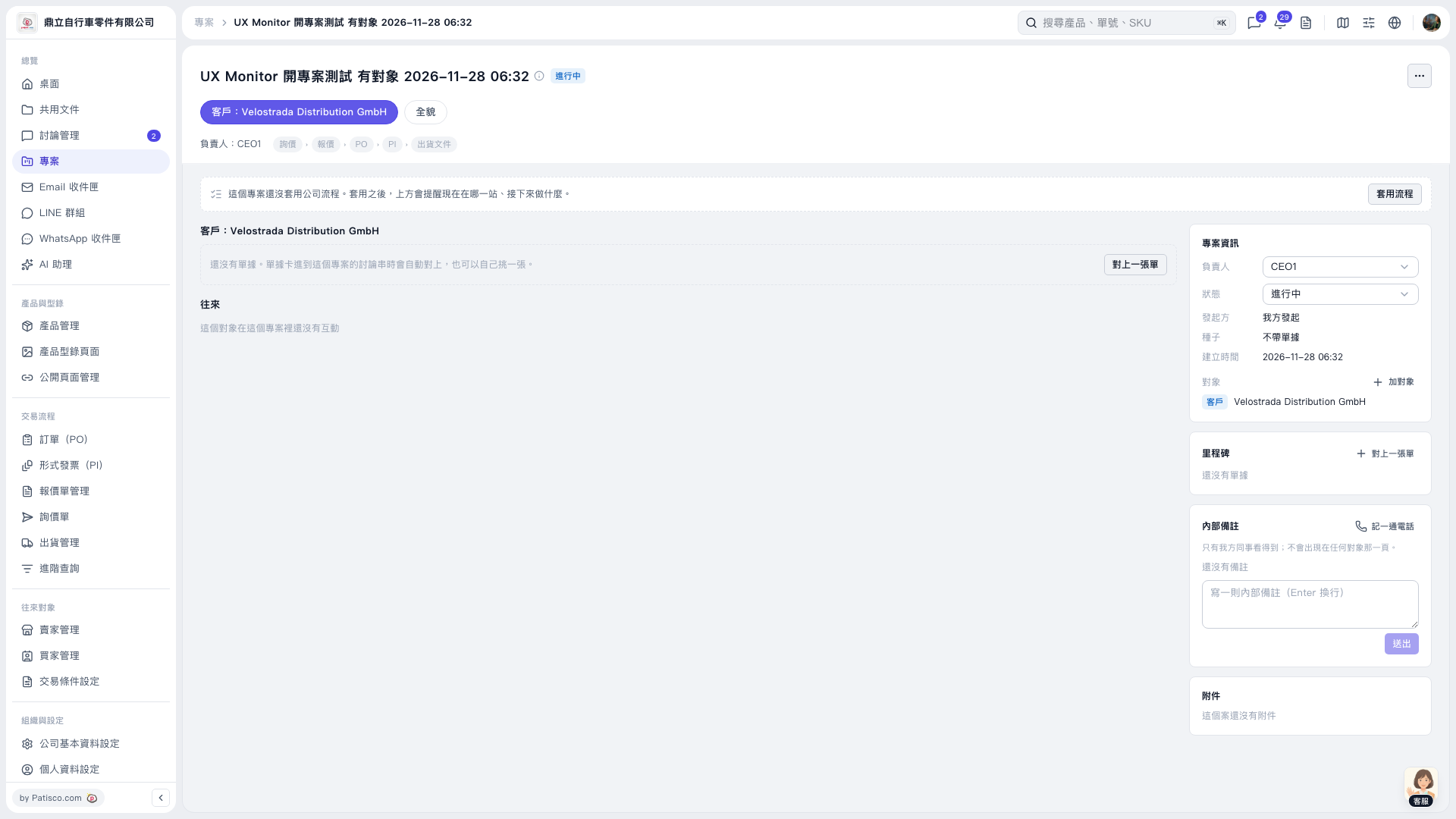 V5 新桌面版|UX Monitor 開專案測試 有對象 2026-11-28 06:32(專案詳情)