
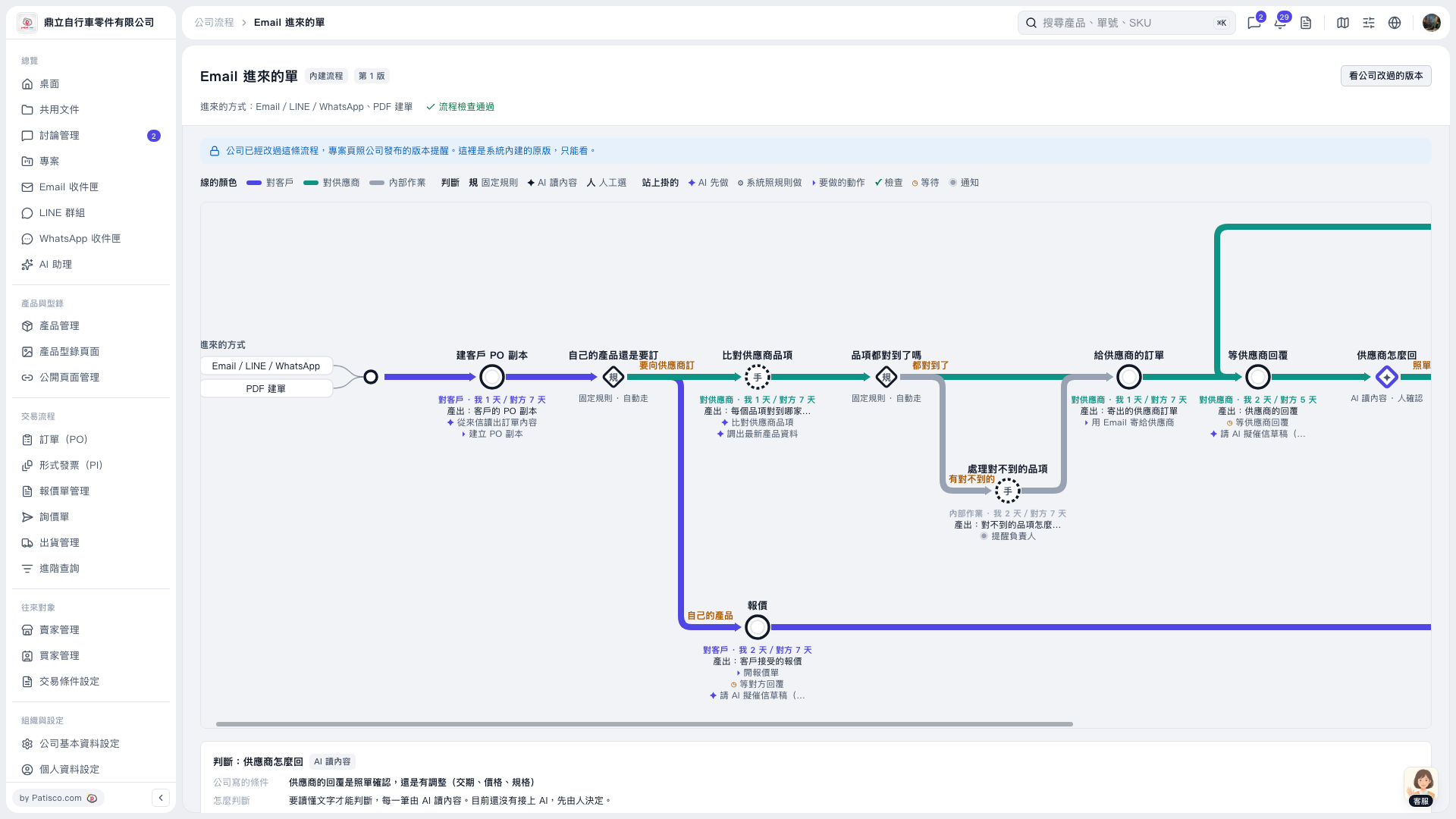
1. On the "POs received by email" page, start with "Entry Method" on the left and follow the workflow lines through each step. 2. Refer to the legend at the top to understand the line colors and decision methods such as "Fixed Rules", "AI Reads Content", and "Manual Selection". 3. Click a workflow node to view descriptions below it, such as "Company-defined Conditions", "How the Decision Is Made", and "Output". For example, even if "How the Supplier Responds" is labeled "AI Reads Content", a person must still make the decision if the description says, "AI is not connected yet. A person will decide for now." 4. Drag the horizontal scrollbar at the bottom of the workflow diagram to view the workflow on the right.
 V5 新桌面版|Email 進來的單