
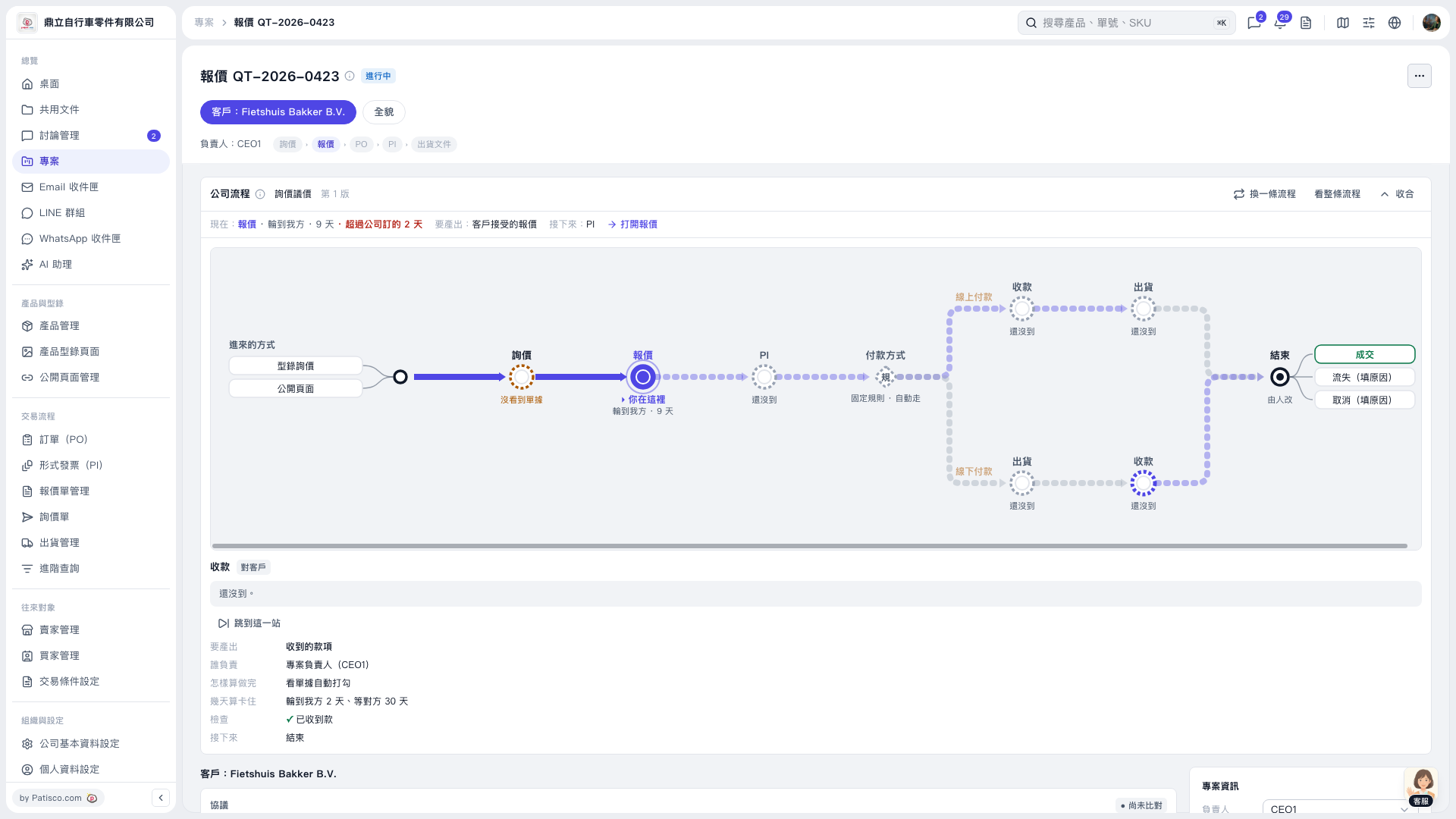
1. Check the [Company workflow] status bar on the project page to see the [Current stage], [Days at this stage], and [Days overdue]. The workflow diagram marks the current stage with “You are here.” 2. Click a stage in the workflow diagram to view [Required output], [Who is responsible], [Completion criteria], [Days until stalled], and [Next steps] below it. 3. To work on a quotation, click [Open Quotation]. When you see [Go], clicking it takes you to where the task can be handled. You still need to complete the operation yourself. 4. To view the entire workflow, click [View entire workflow] in the upper right.
 V5 新桌面版|報價 QT–2026–0423