
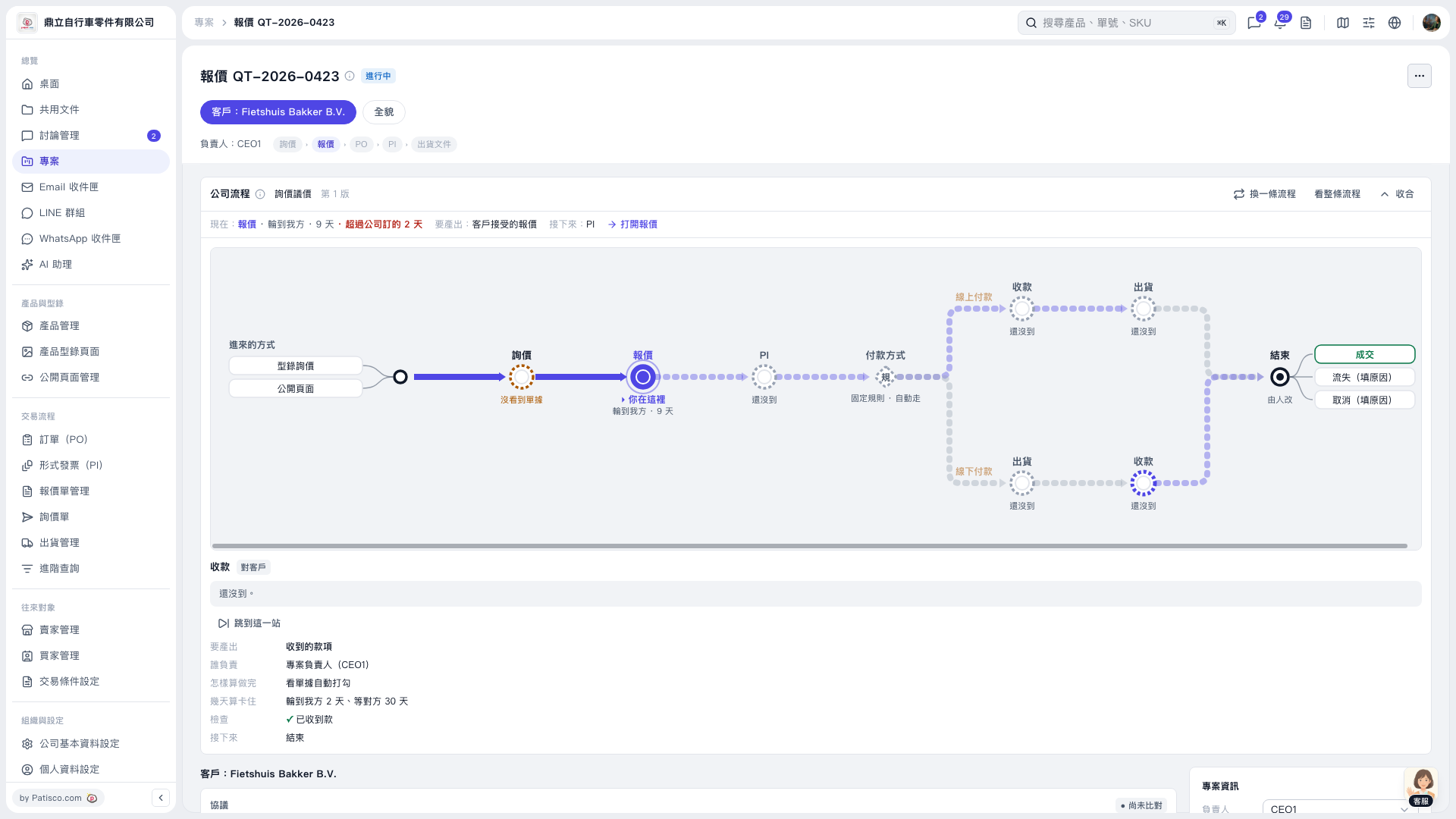
1. To change the project's position in the workflow, first click the target stage in the workflow diagram and review the stage details below it. 2. Once you have confirmed that you want to switch to that stage, click [Jump to this stage]. Clicking the stage only displays its details. To change the project's position in the workflow, you must also click this button. 3. To change the company workflow used by the project, click [Switch workflow] in the upper right of the [Company workflow] section.
 V5 新桌面版|報價 QT–2026–0423