
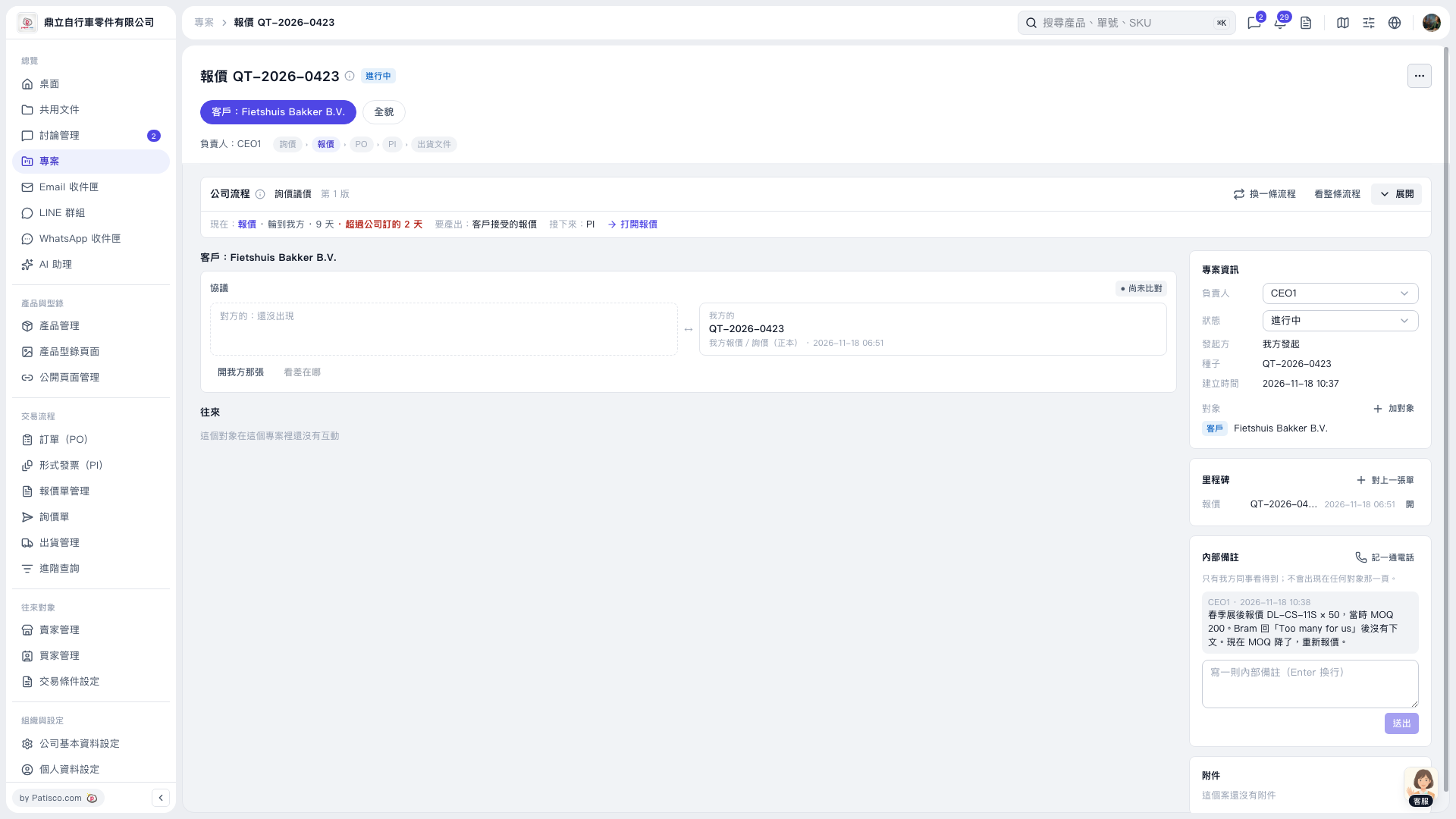
1. Click [Collapse] in the company workflow to hide the workflow diagram and the description of the current stage. Only a summary bar showing “Current stage,” “Required output,” and “Next steps” remains, and the other content on the project page moves up. 2. To view the workflow content again, click [Expand] on the right side of the company workflow bar. 3. To view the entire company workflow, click [View entire workflow].
 V5 新桌面版|報價 QT–2026–0423