
1. On the “New AI conversation” page, tap the “Ask AI a question...” input field at the bottom. 2. Enter your question, for example: “Which is our most recent PO?” 3. Tap the send button (paper airplane icon) in the bottom-right corner. 4. Read the AI response and check the PO number, creation date, status, supplier, and search scope. For this query, an example AI response is: “The most recent PO is PO-2603-0118, created on 2026-11-03, with the status ‘Editing’ (not yet confirmed). The supplier is 永錩精密鍛造股份有限公司.” This result identifies the most recently created PO among 4 active POs (Editing + Confirmed), excluding archived or canceled POs.
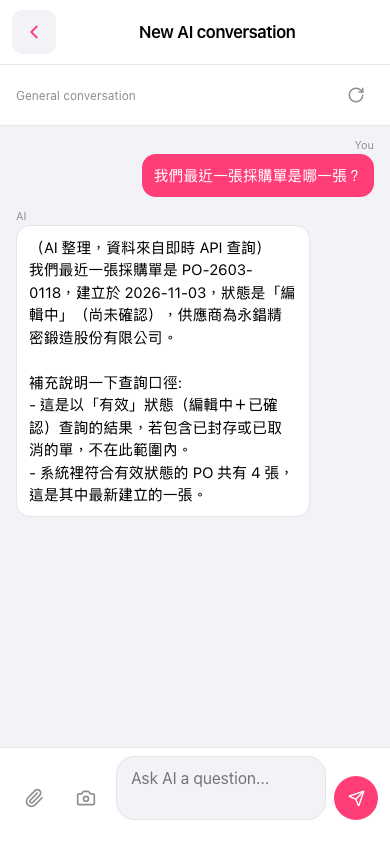 手機版|New AI conversation