
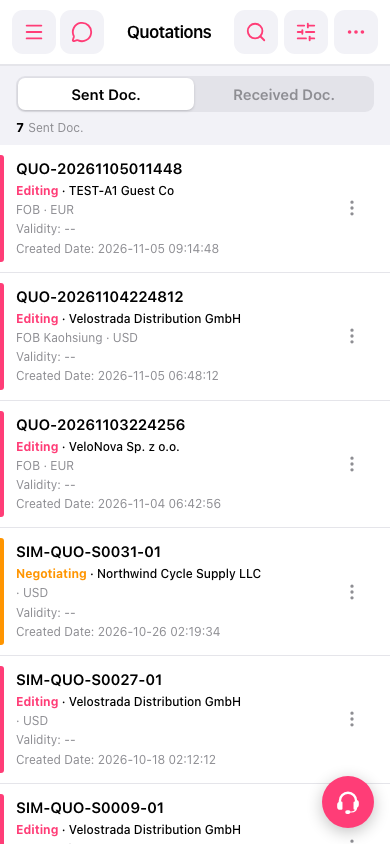
1. On the “Quotation” page, tap “Sent Doc.” to view sent documents, or tap “Received Doc.” to view received documents. 2. Find the quotation you want by its quotation number, customer name, and status. To search or filter, tap the search icon or filter icon in the upper right. 3. Tap the quotation entry you want to view its details.
 手機版|報價單(Quotations)