
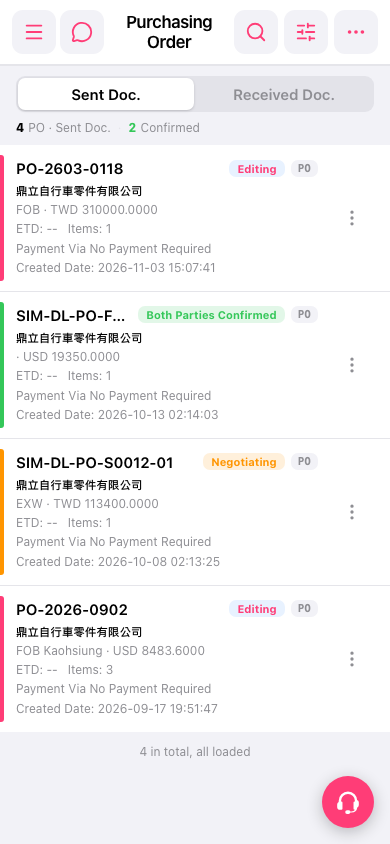
1. Tap “Search” (the magnifying glass icon) in the upper right to search for a PO, or tap “Filter” (the adjustment icon) to narrow down the list. 2. Check the PO number, trading partner, status, amount, and creation date in the list to find the PO you want. 3. Tap that PO card to view its details. For other actions, tap “More” (the vertical three-dot icon) on the right of that PO.
 手機版|採購單(Purchasing Order)