
1. First, check the “Change Summary” at the top for added or deleted items and differences in amounts. 2. In the “Our Side / Their Side” diff view below, check the details item by item. Pay particular attention to the highlighted difference in “Estimated Time of Departure (ETD).” You can also check fields such as PO number, currency, and trade terms. 3. If you need to adjust your side’s content, tap “Cancel” in the upper left to return to the PO page, then follow the prompt at the bottom of the screen to use the “Edit” and “Submit” workflow.
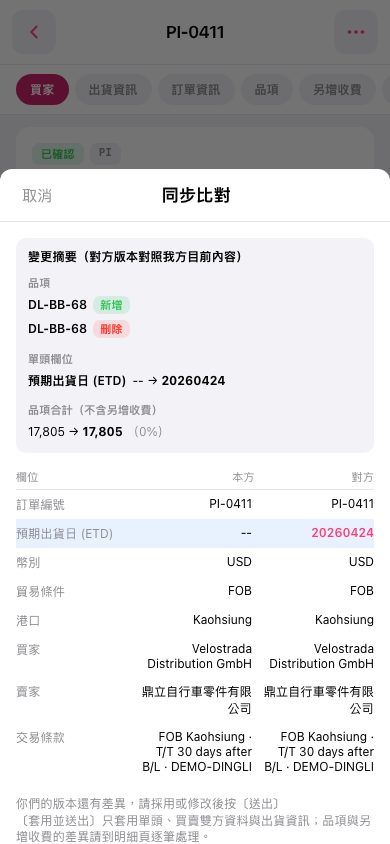 手機版|同步比對