
1. Review the discussion history and the email thread participants shown at the bottom. 2. If you have not connected your mailbox, follow the prompt and go to "Personal Profile Settings > My Mailbox" on the desktop version to connect it. 3. Enter your message in the "Enter a message" field. If needed, tap "Attachment" (paperclip icon) or "Camera" (camera icon) to add attachments or photos. 4. Tap "Send" (paper airplane icon) in the lower-right corner to send the message.
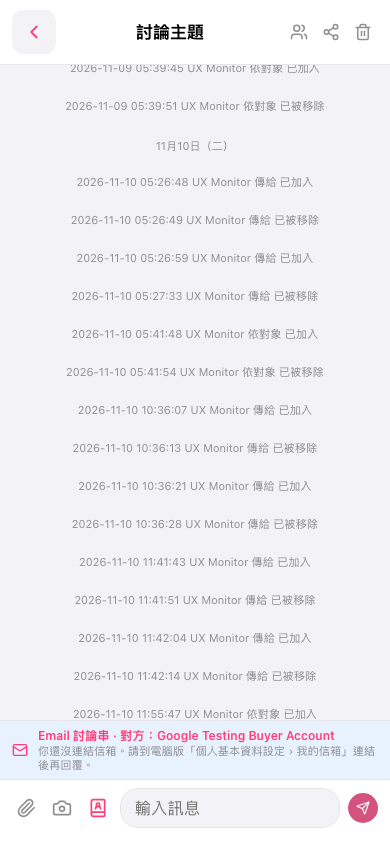 手機版|討論主題