
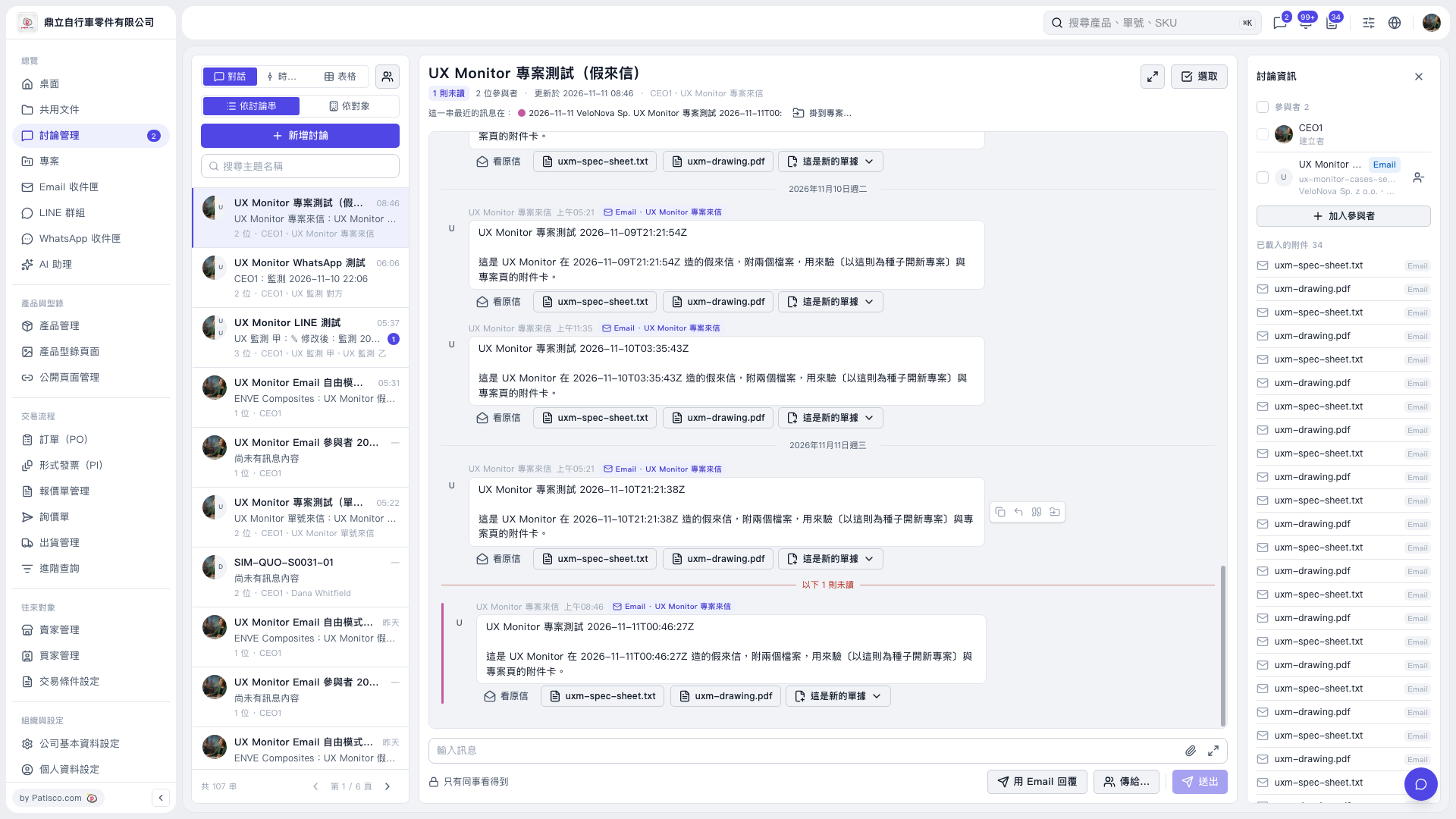
1. Enter a keyword in “Search subject names” on the left, then select the thread you want to process. 2. In the center, confirm which email to use as the source for the new project. To view the full content, click “View original email” or an attachment name. 3. Click the dropdown arrow next to “This is a new document” below that email to view the email processing menu. 4. The menu was not expanded in this view, so the option name for creating a new project and the subsequent fields could not be confirmed. Continue using the actual options shown after expanding the menu.
 V5 新桌面版|UX Monitor 專案測試(假來信)