
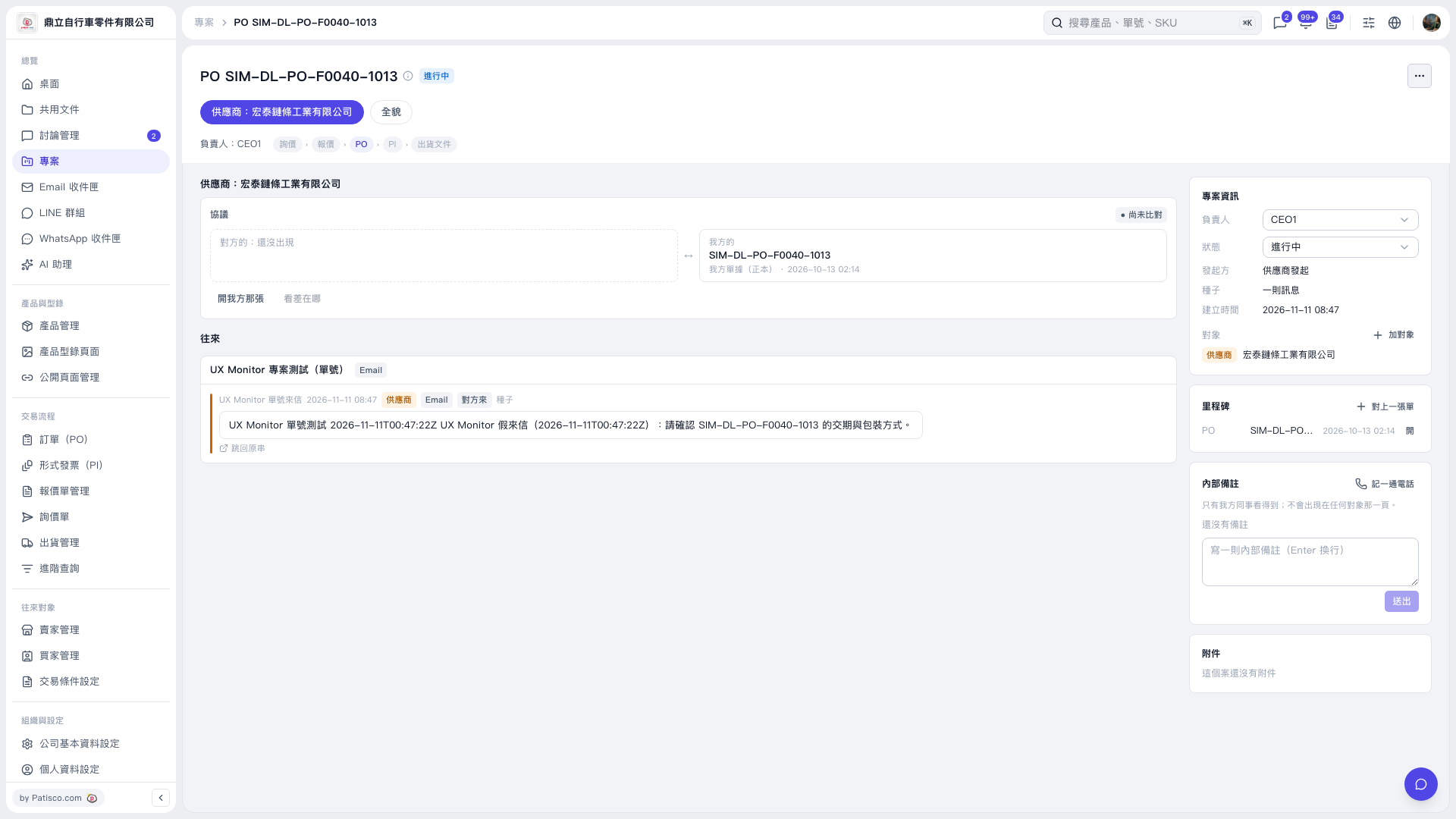
1. Open the PO project and check the project title and the currently selected PO stage. 2. In the “Agreement” section in the center, click “Open our document” to view our PO. 3. Read the email in the “Correspondence” section. To view the full conversation, click “Back to original thread” at the bottom left of the message card. 4. “View differences” is currently grayed out, and the agreement comparison status is “Not yet compared”.
 V5 新桌面版|PO SIM–DL–PO–F0040–1013