
1. In the project information section on the right, use the “Person in charge” and “Status” dropdown menus to update the information. 2. To link a document, click “Link a document” in the “Milestones” section on the right. To view an already linked PO, click “Open” at the end of its row. 3. Enter a record of your actions in “Internal notes”, then click “Submit”. Internal notes are visible only to colleagues on our side.
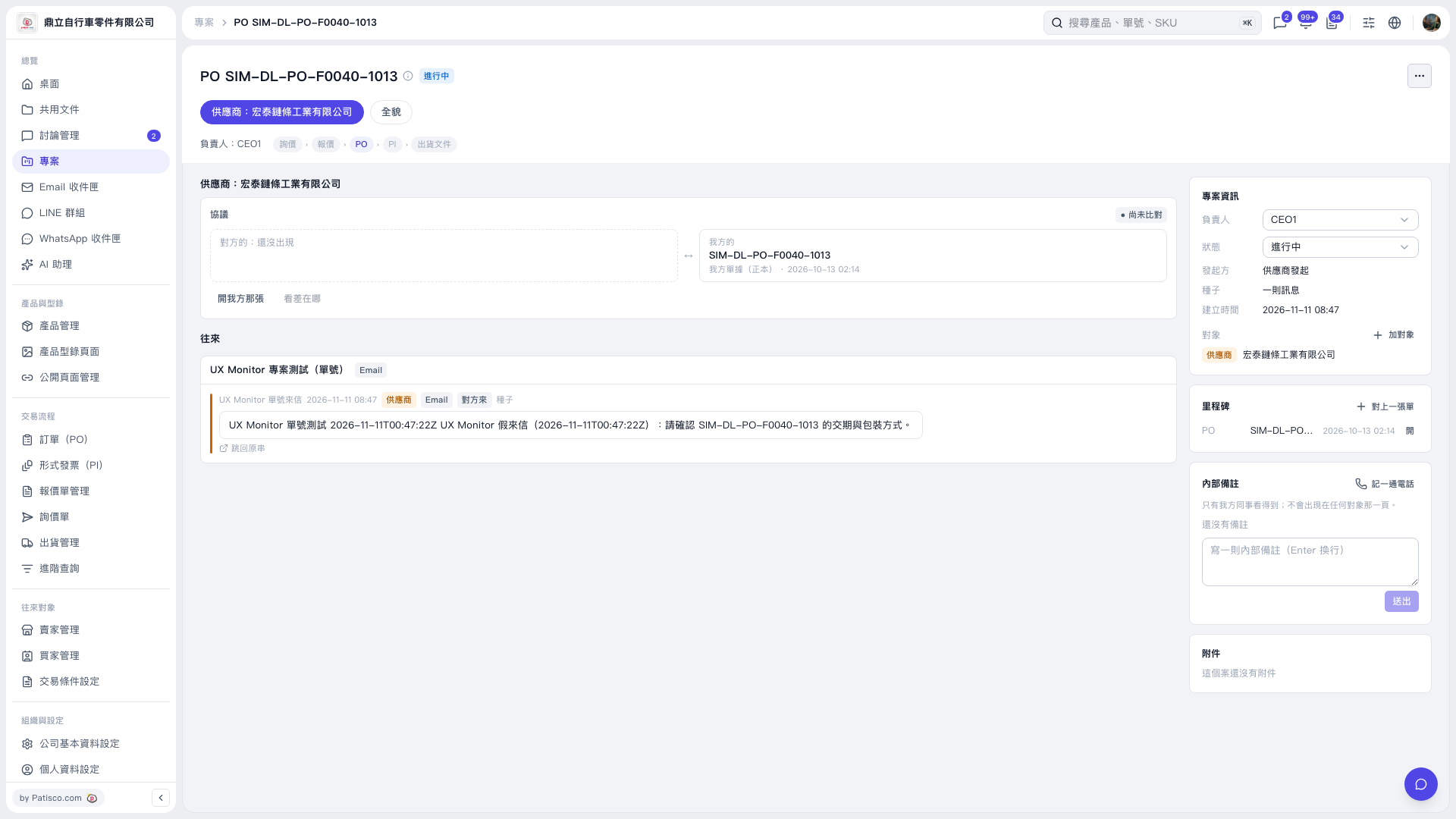 V5 新桌面版|PO SIM–DL–PO–F0040–1013