
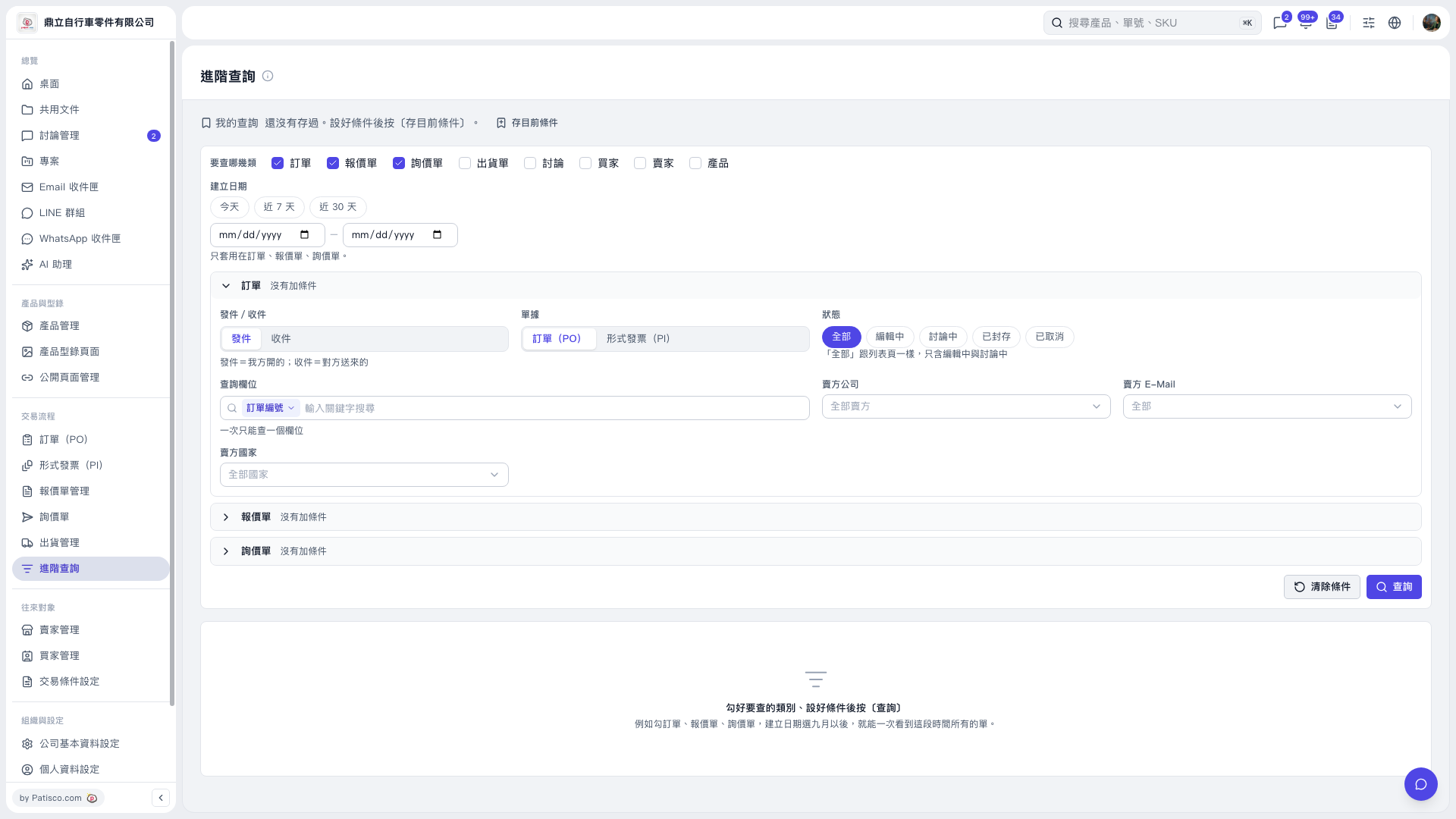
1. On the "Advanced Search" page, select "PO" under "Categories to Search". You can also select Quotation, Inquiry, Shipping Document, Discussion, Buyer, Seller, or Product at the same time. 2. Select "Today", "Last 7 Days", or "Last 30 Days" as needed, or enter the start and end dates for "Creation Date". The date range applies only to POs, quotations, and inquiries. 3. Click "PO" to expand the search conditions, then set "Sent/Received", document type, and status. Sent refers to documents issued by your company; Received refers to documents sent by the other party. The "All" status includes only documents being edited or discussed. To find archived or canceled POs, select the corresponding status. 4. Select a "Search Field" and enter a "Search Keyword" as needed. You can search only one field at a time. You can also set "Seller Company", "Seller E-Mail", and "Seller Country". 5. Click "Search" in the lower-right corner to view the results.
 V5 新桌面版|進階查詢