
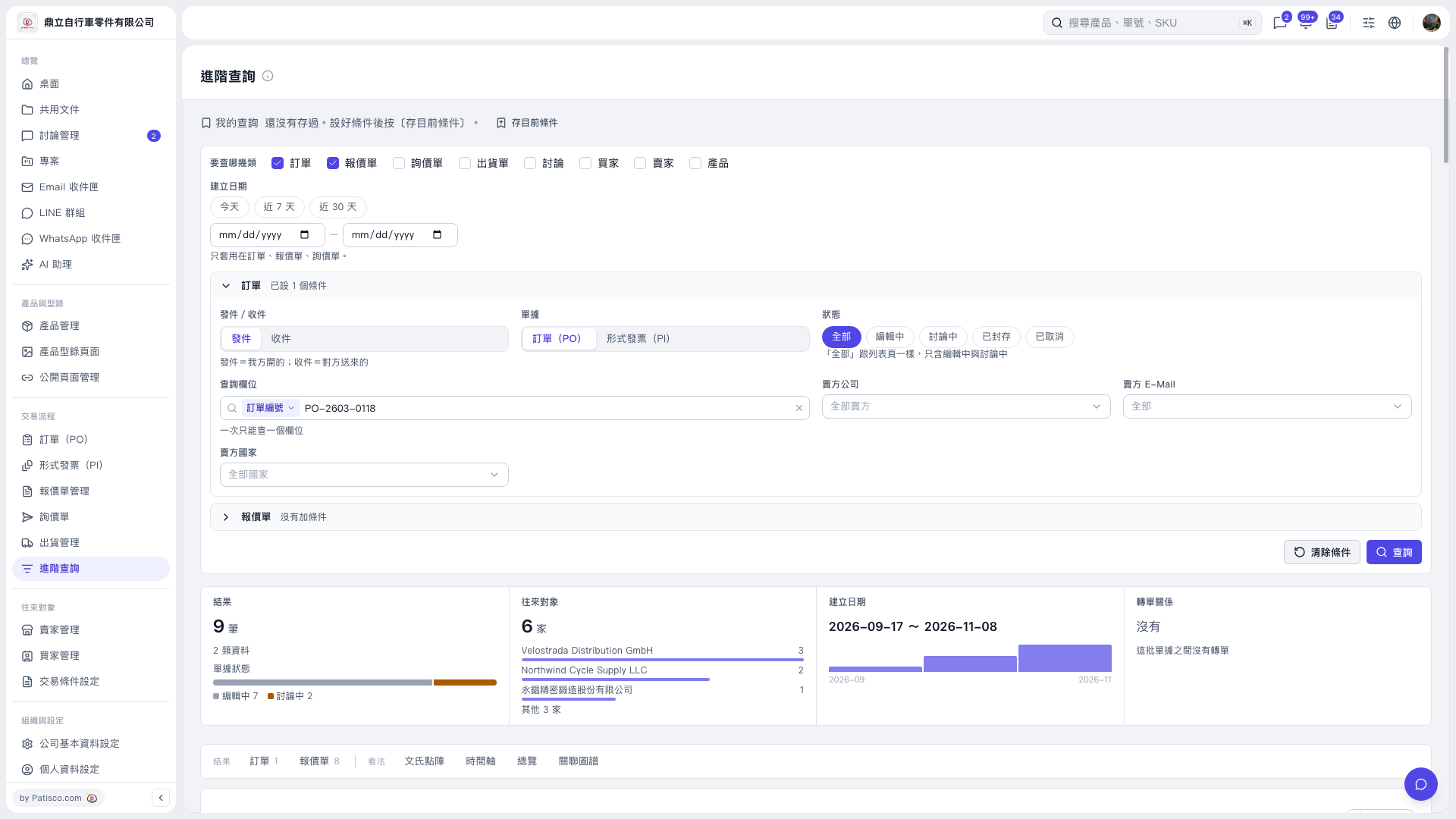
1. In "Advanced Search", select the data categories you want to search under "Categories to Search", such as "PO" and "Quotation". 2. Set the search conditions you need. For example, expand "PO", set "Search Field" to "PO Number", and enter "PO-2603-0118" in "Search Value". 3. Click "Search" in the lower-right corner and check that the results meet your needs. 4. Click "Save Current Conditions" next to "My Searches" at the top of the page to save these conditions for future use.
 V5 新桌面版|進階查詢