
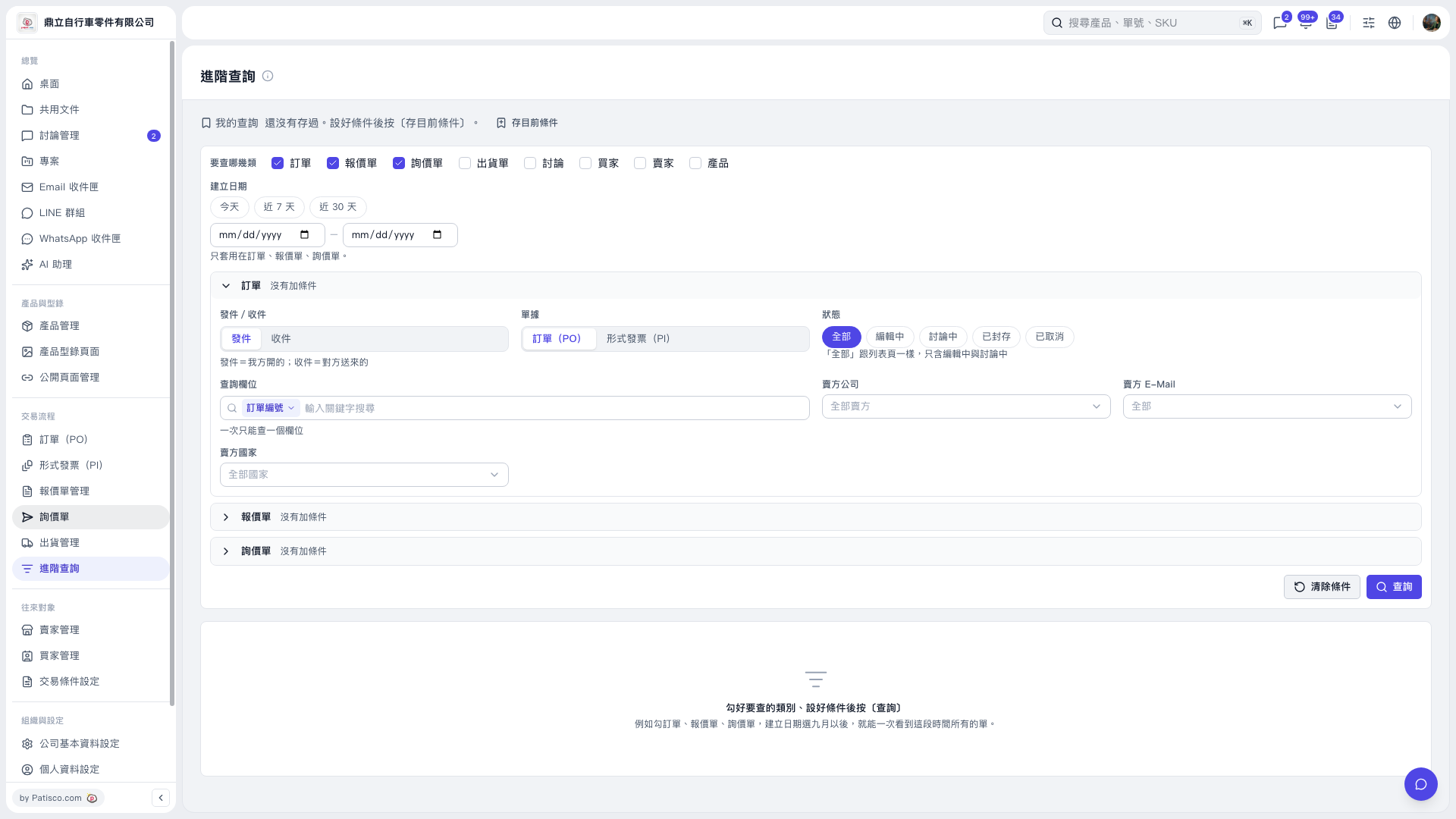
1. Under "Which categories to search" in "Advanced Search", select the data categories. You can select multiple categories: POs, quotations, inquiries, shipping documents, discussions, buyers, sellers, and products. 2. To filter by creation date, click "Today", "Last 7 Days", or "Last 30 Days", or enter a start date and end date. Date filters apply only to POs, quotations, and inquiries. 3. Expand the document section you want to configure. When searching for POs, you can set "Sent/Received", document type, and status. The "All" status includes only "Editing" and "In Discussion". To find "Archived" or "Canceled" POs, select the corresponding status. 4. Select a "Search Field" and enter a "Keyword". You can search only one field at a time. You can also set "Seller Company", "Seller E-Mail", and "Seller Country". 5. Click "Search" at the bottom right and view the results below.
 V5 新桌面版|進階查詢