
1. On the "PO (Purchasing Order)" page, tap "Sent Doc." at the top to view sent POs, or tap "Received Doc." to view received POs. 2. Find the PO you want to view by checking the PO number, trading partner name, and document status. 3. Tap the PO's row to open its contents.
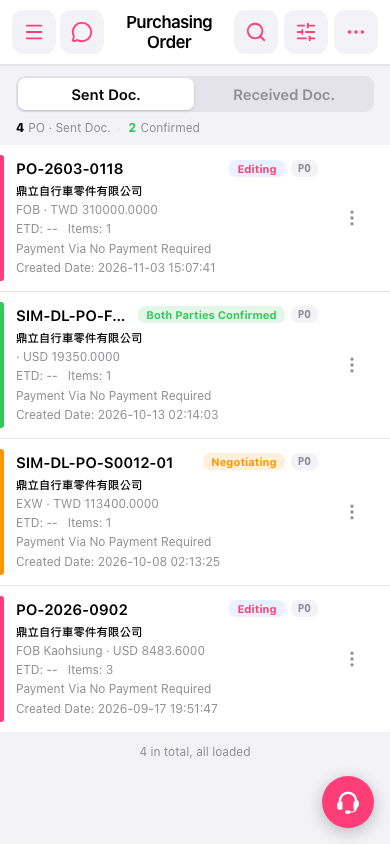 手機版|採購單(Purchasing Order)