
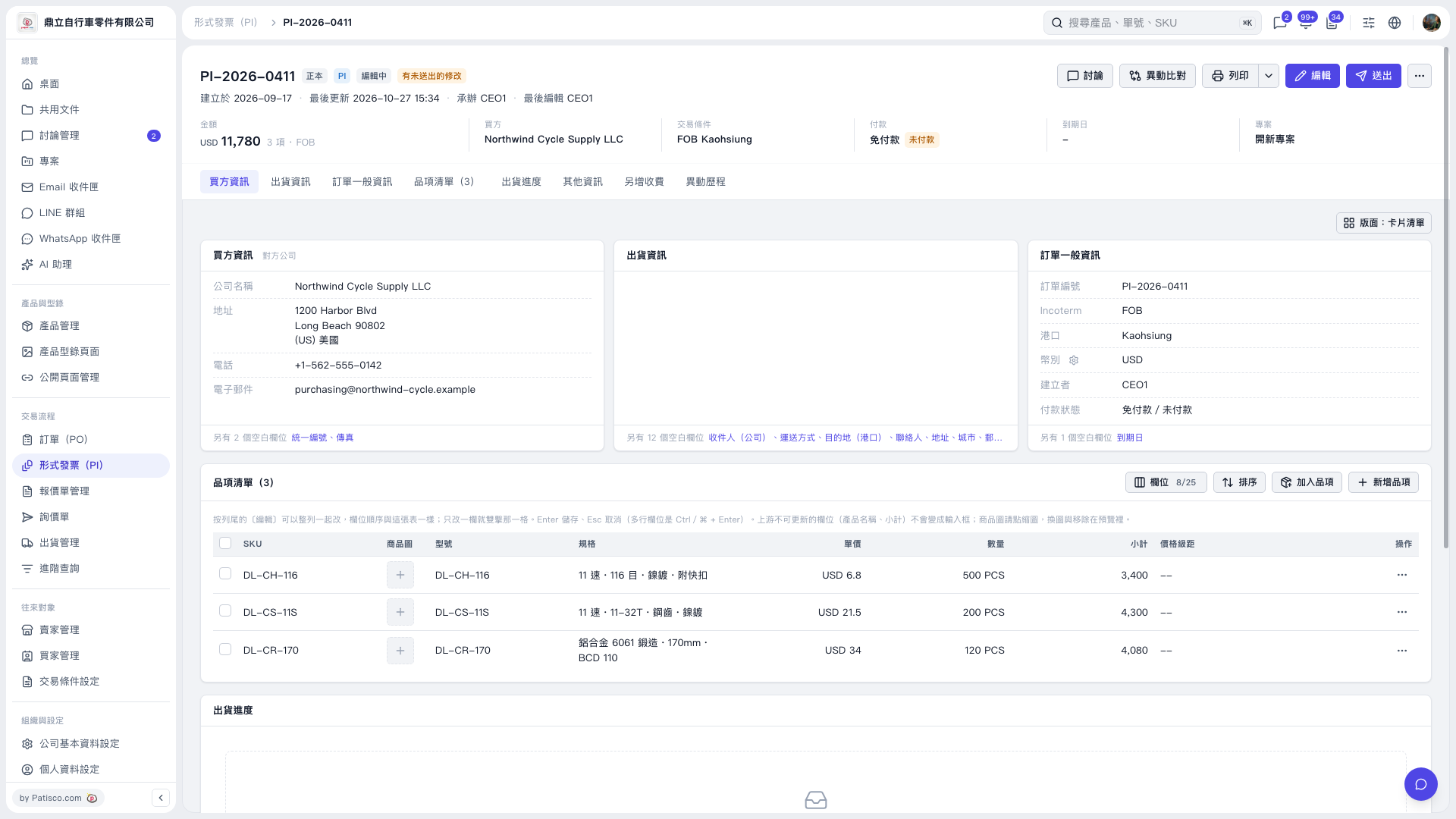
1. On the Proforma Invoice details page, first check the Proforma Invoice number, buyer, amount, and trading conditions at the top. 2. Click “Edit” in the top right to edit the buyer, shipping, or PO information. 3. After confirming that the information is correct, click “Submit” in the top right to submit the changes. 4. To print, click “Print” in the top right.
 V5 新桌面版|PI–2026–0411