
1. Click “Item List (3)” in the navigation bar below the summary. 2. Click “Add Item” to add an existing item, or click “Create Item” to create a new item entry. 3. Follow the on-screen instructions and use the edit action at the end of the item row to adjust editable fields. Press Enter to save or Esc to cancel. 4. Check the “Unit Price”, “Quantity”, and “Subtotal” for each item. After confirming that the information is complete, click “Submit” in the top right.
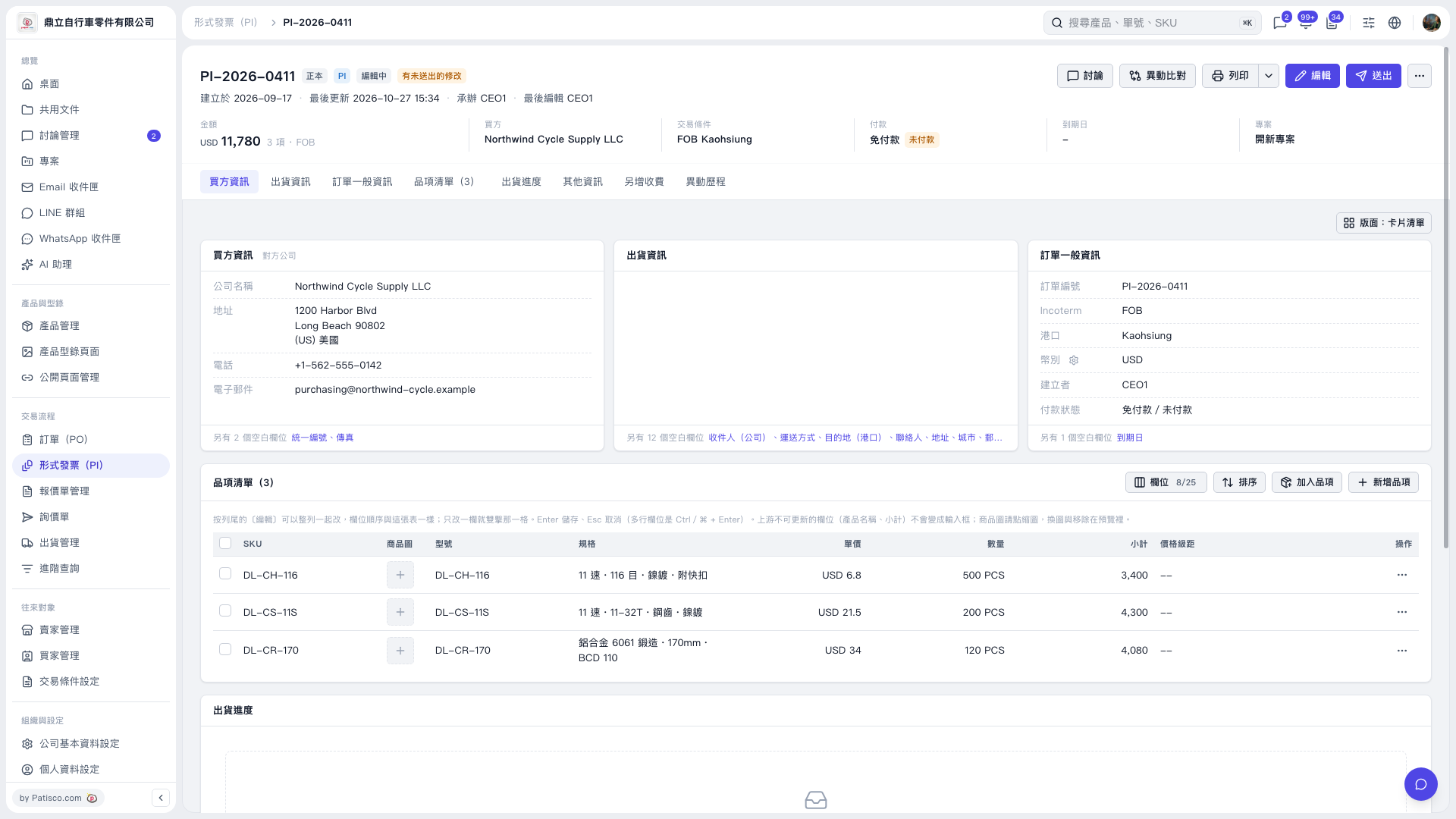 V5 新桌面版|PI–2026–0411