
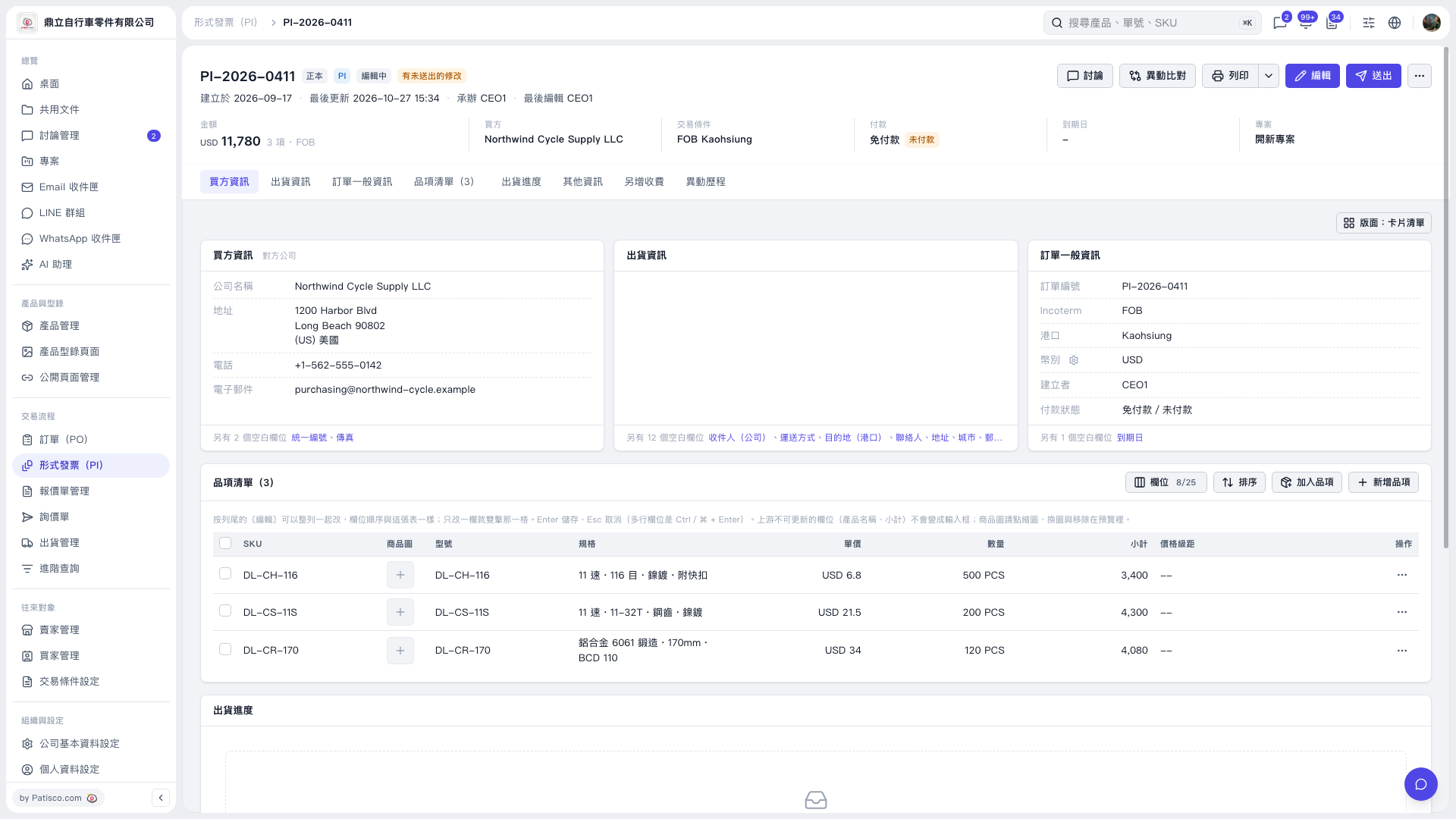
1. Open the Proforma Invoice and confirm that the page title is “PI-2026-0411.” 2. Check the “Payment” summary at the top of the page, or “Payment Status” under “General Order Information” on the right. It currently shows “No Payment Required / Unpaid.” 3. To change payment information, click “Edit” in the upper-right corner, then check which payment fields can be adjusted on the editing screen. The edit form is not yet visible on the current screen. 4. After making changes, save them using the action provided on the editing screen. To send the Proforma Invoice, click “Send.”
 V5 新桌面版|PI-2026-0411