
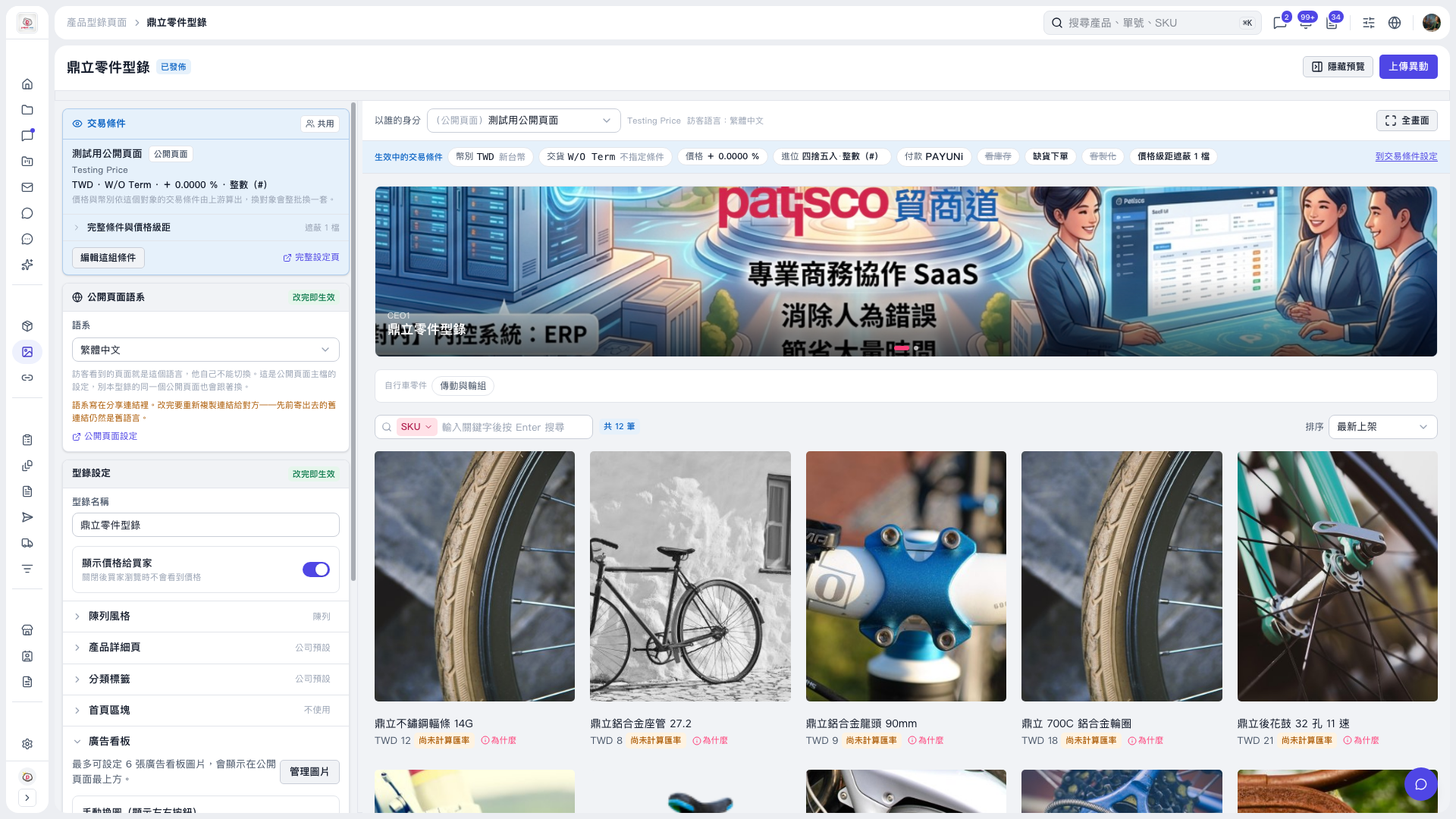
1. Find the “Banner” section under “Catalog settings” on the left side of the catalog page. 2. Click “Manage images” to set the banner images. You can add up to 6 images. 3. After setting the images, check how they appear at the top of the public page in the preview on the right. You can also click “Full screen” for a larger view. 4. Once confirmed, click “Upload changes” in the upper-right corner.
 V5 新桌面版|鼎立零件型錄