
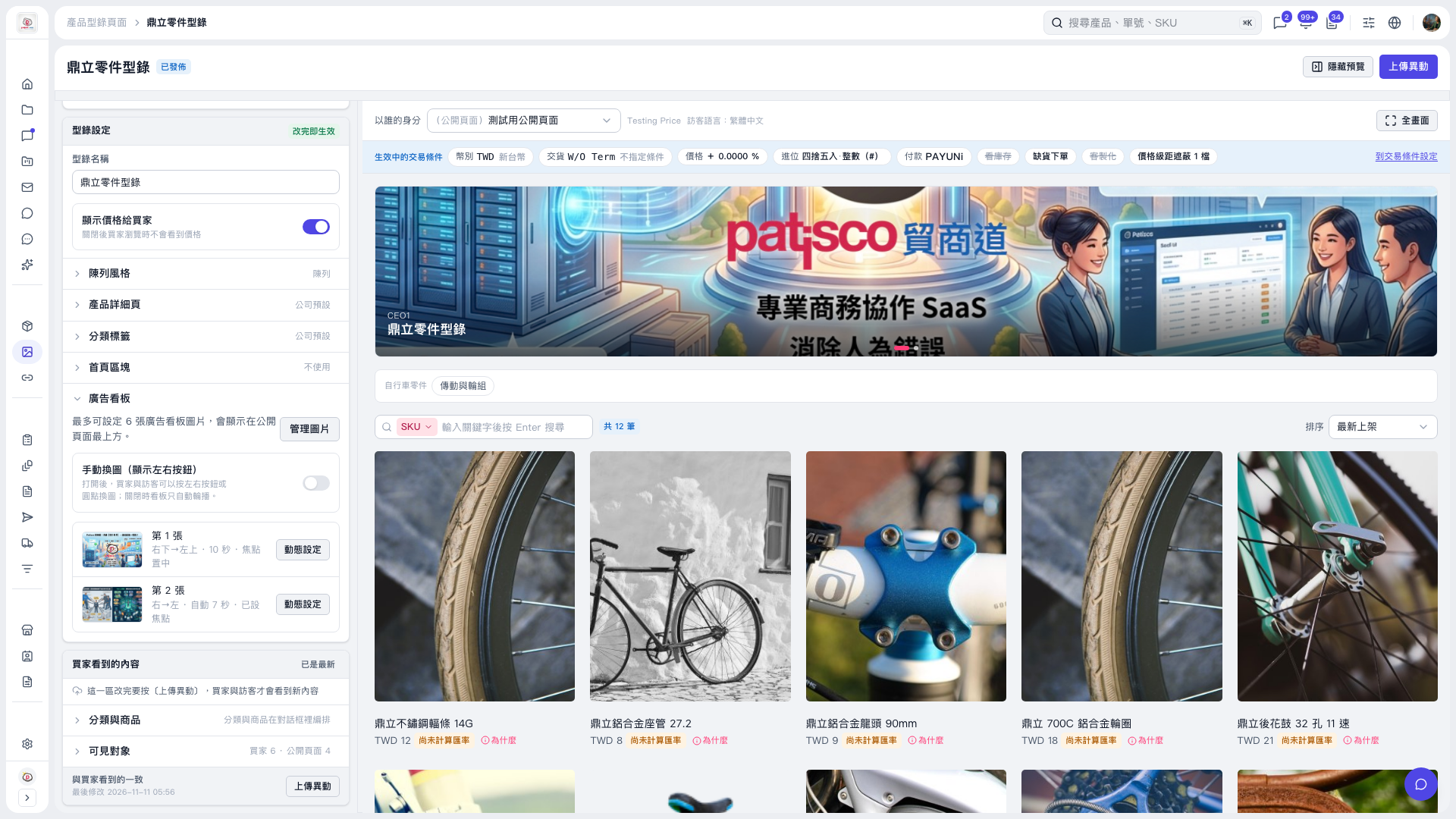
1. In the “Banner” section on the left side of the catalog editing page, click “Animation settings” to the right of the image you want to adjust. To add or adjust images first, click “Manage images”. You can add up to 6 images. 2. Adjust the animation effects for that image. The current on-screen summary shows the direction, playback duration in seconds, and focal point settings. However, the settings dialog has not been opened, so the options inside cannot be confirmed. 3. Check the result in the preview on the right. You can also click “Full screen” for a larger view. 4. When finished, click “Upload changes” so buyers and visitors can see the latest content.
 V5 新桌面版|鼎立零件型錄