
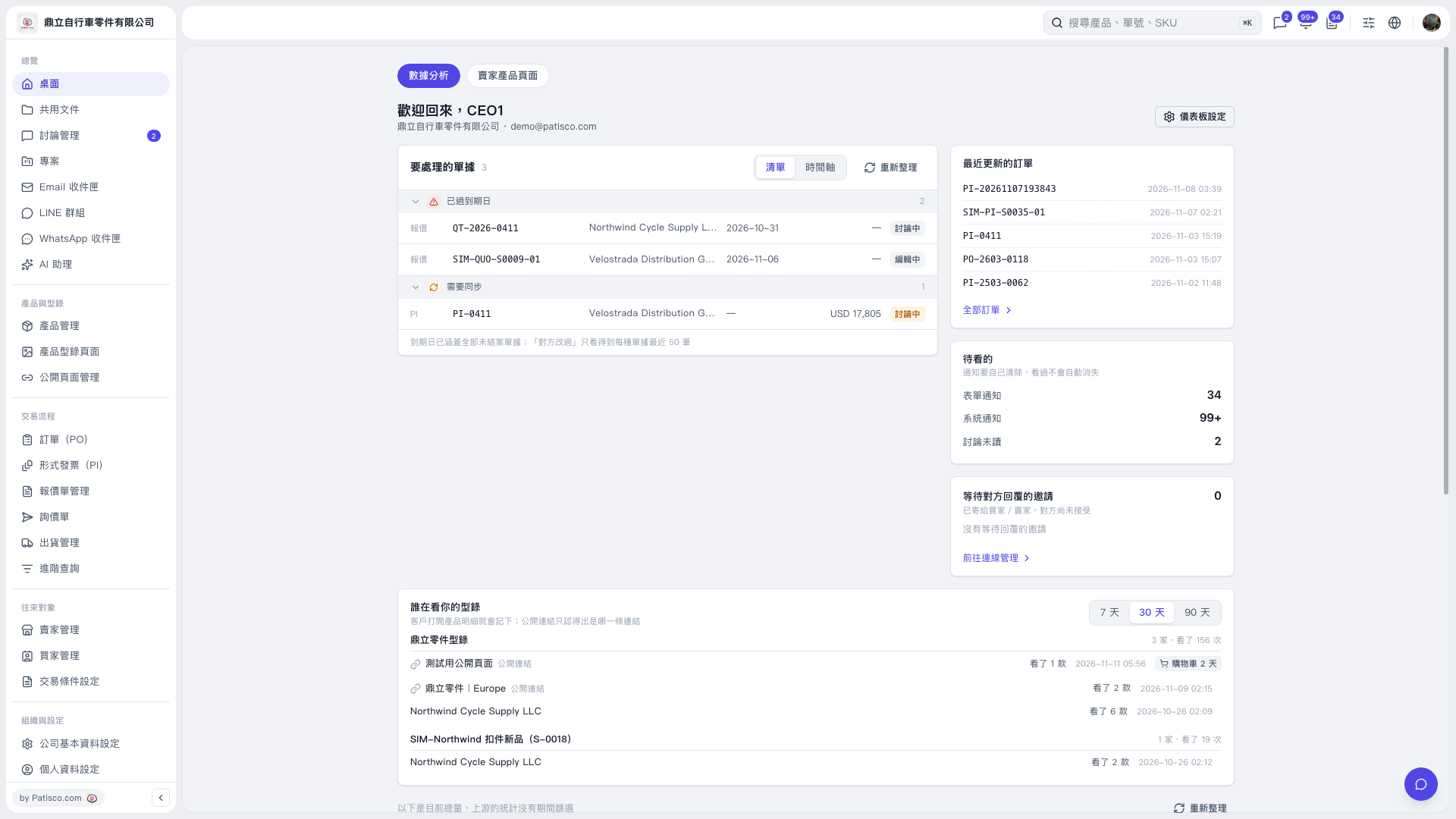
1. Find the “Who is viewing your catalog” section under “Desktop – Data analysis”. 2. Click “7 days / 30 days / 90 days” in the upper-right corner to switch the reporting period. “30 days” is currently selected. 3. Check the catalog name, viewing source / customer name, number of product styles viewed, and viewing time to understand catalog viewing activity during the selected period.
 V5 新桌面版|桌面-數據分析