
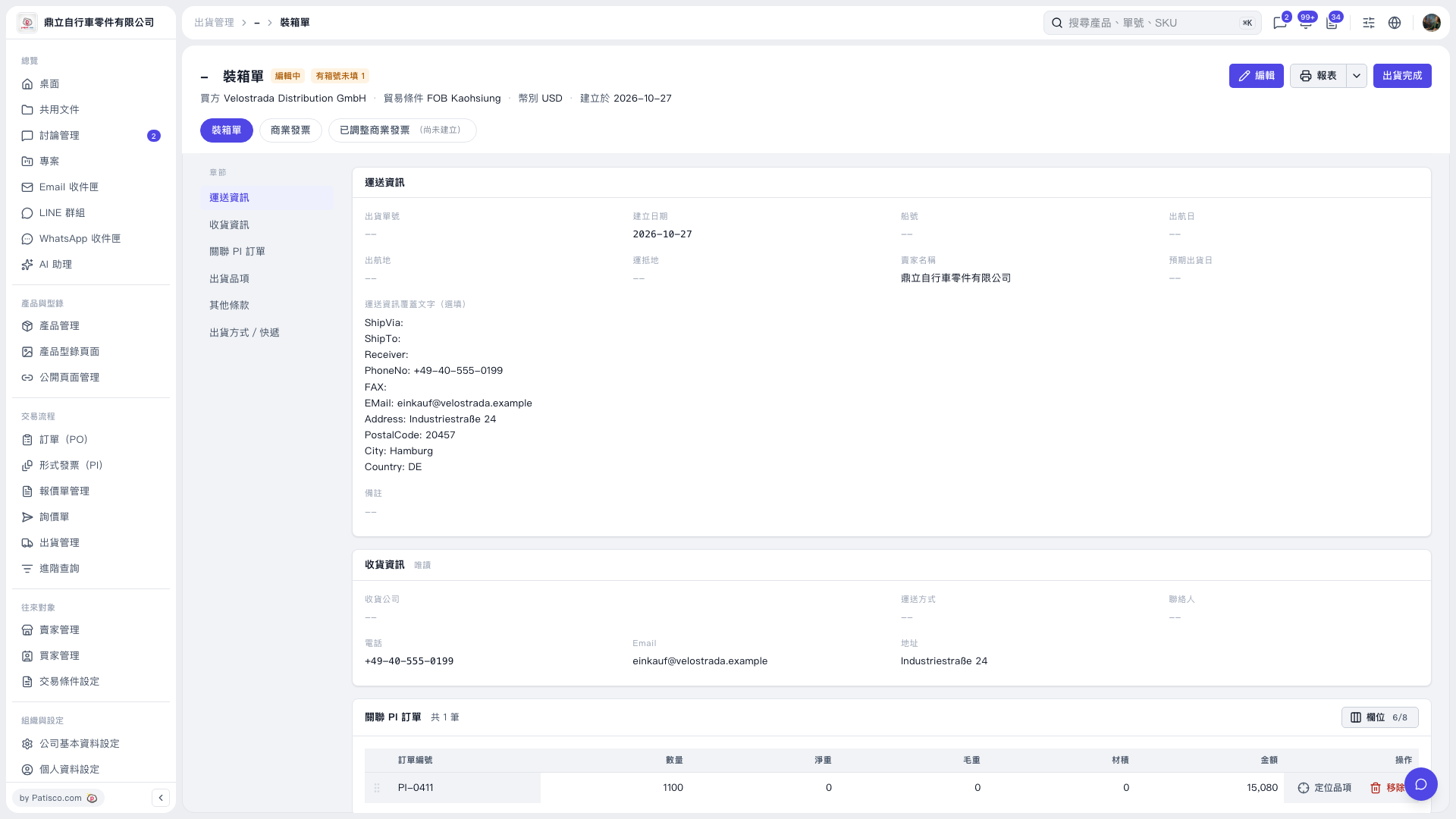
1. Check the buyer, trade terms, currency, and “Linked PI Orders” details. 2. Use the section navigation on the left to check “Shipping Information,” “Receiving Information,” “Shipment Items,” “Other Terms,” and “Shipping Method / Courier.” If changes are needed, click “Edit” in the upper-right corner and save when finished. 3. Click “Report” in the upper-right corner to view the report. 4. After confirming that the details and shipment status are correct, click “Shipment Completed” in the upper-right corner.
 V5 新桌面版|裝箱單