
1. On the packing list page, check the packing list number, buyer, and currency. 2. Check the shipment details using “Shipping Information,” “Receiving Information,” “Linked PI Orders,” and “Shipment Items” on the left. 3. If changes are needed, click “Edit” in the upper-right corner. To view the report, click “Report.” 4. After confirming that the details match the actual shipment, click “Shipment Completed” in the upper-right corner to mark this shipment as completed.
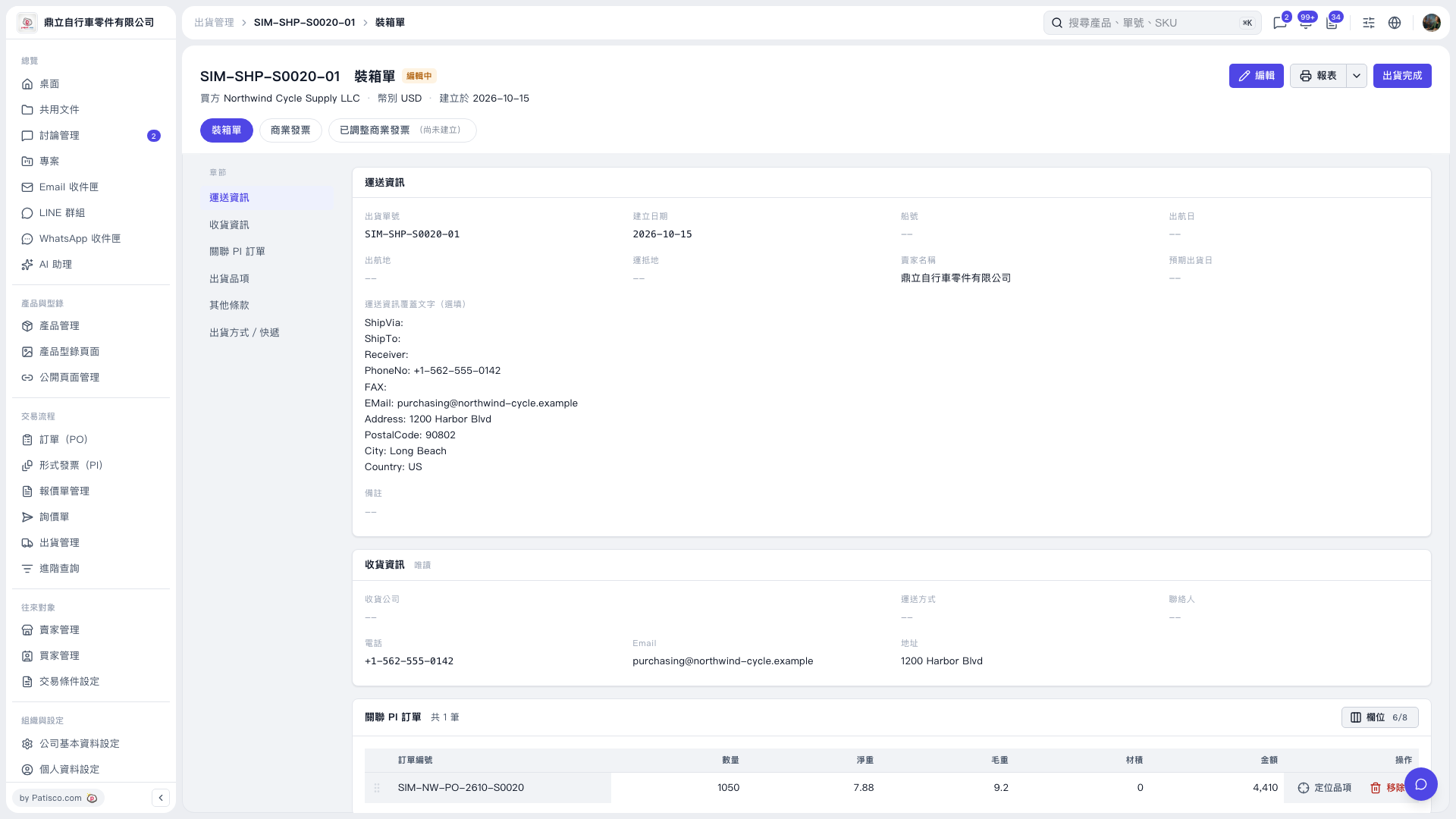 V5 新桌面版|SIM-SHP-S0020-01 裝箱單