
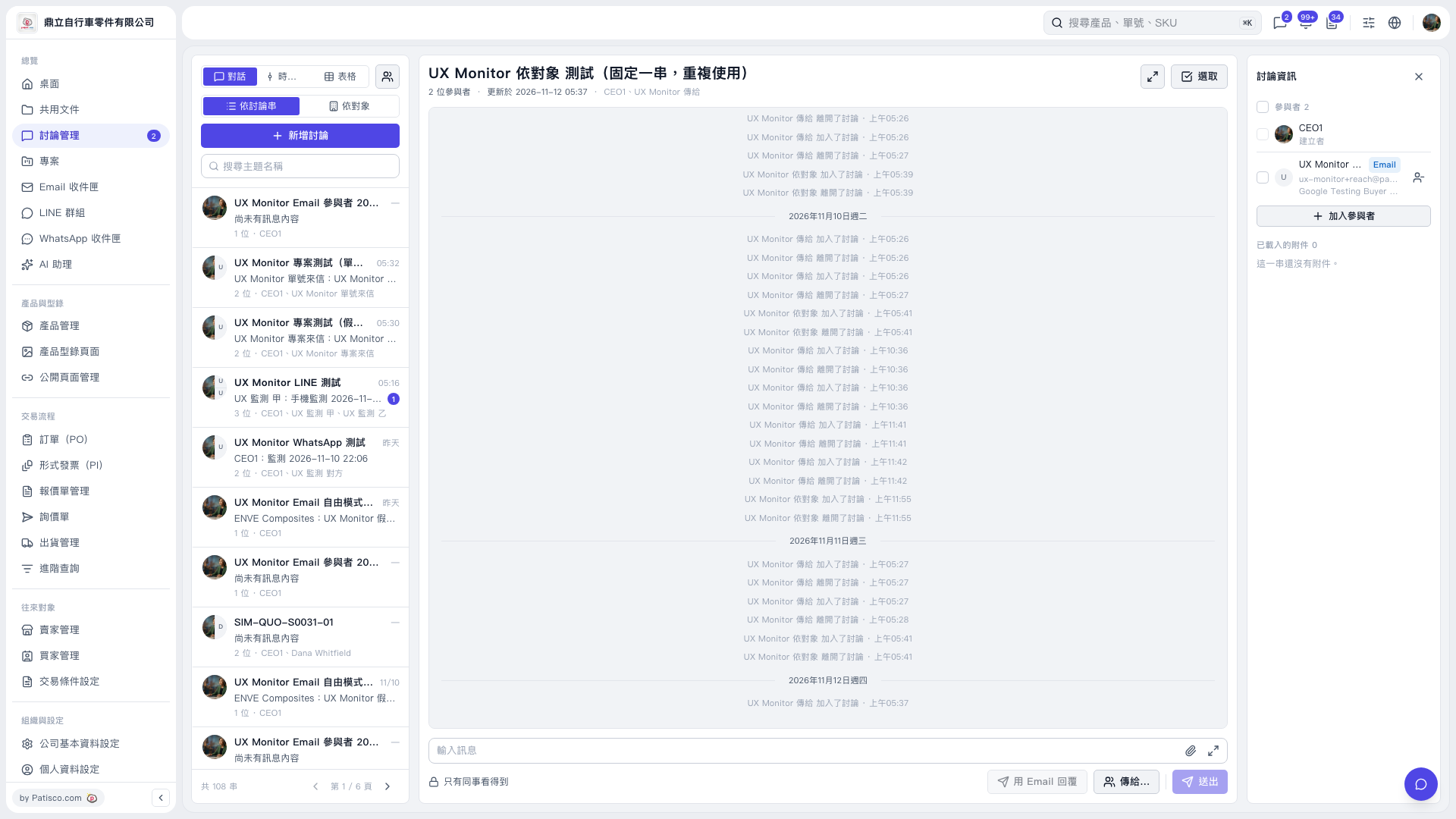
1. Enter a keyword in "Search Topic Name" on the left, then click the discussion thread you want to open. 2. Enter your message in "Enter Message" at the bottom. To attach a file, click the paperclip icon on the right side of the input field. 3. Note the "Only colleagues can see this" message, then click "Send to…" to check and set the recipients. The window shows companies, the number of people, and available contact methods. In this screen, the Email row shows "Send Email", while LINE and WhatsApp have no recipients listed. 4. After checking the message and recipients, click "Send".
 V5 新桌面版|UX Monitor 依對象 測試(固定一串,重複使用)