
1. Open the “Profile settings” page (https://v5.patisco.com/profile). 2. In the “Connect mailbox” section, click “Connect Google mailbox” or “Connect Microsoft mailbox” according to your mailbox type, then complete the authorization process. For testing, you can click “Connect test mailbox”. 3. Check the connected mailboxes and their sync status under “My mailboxes”. The test mailbox on this screen shows “Syncing”.
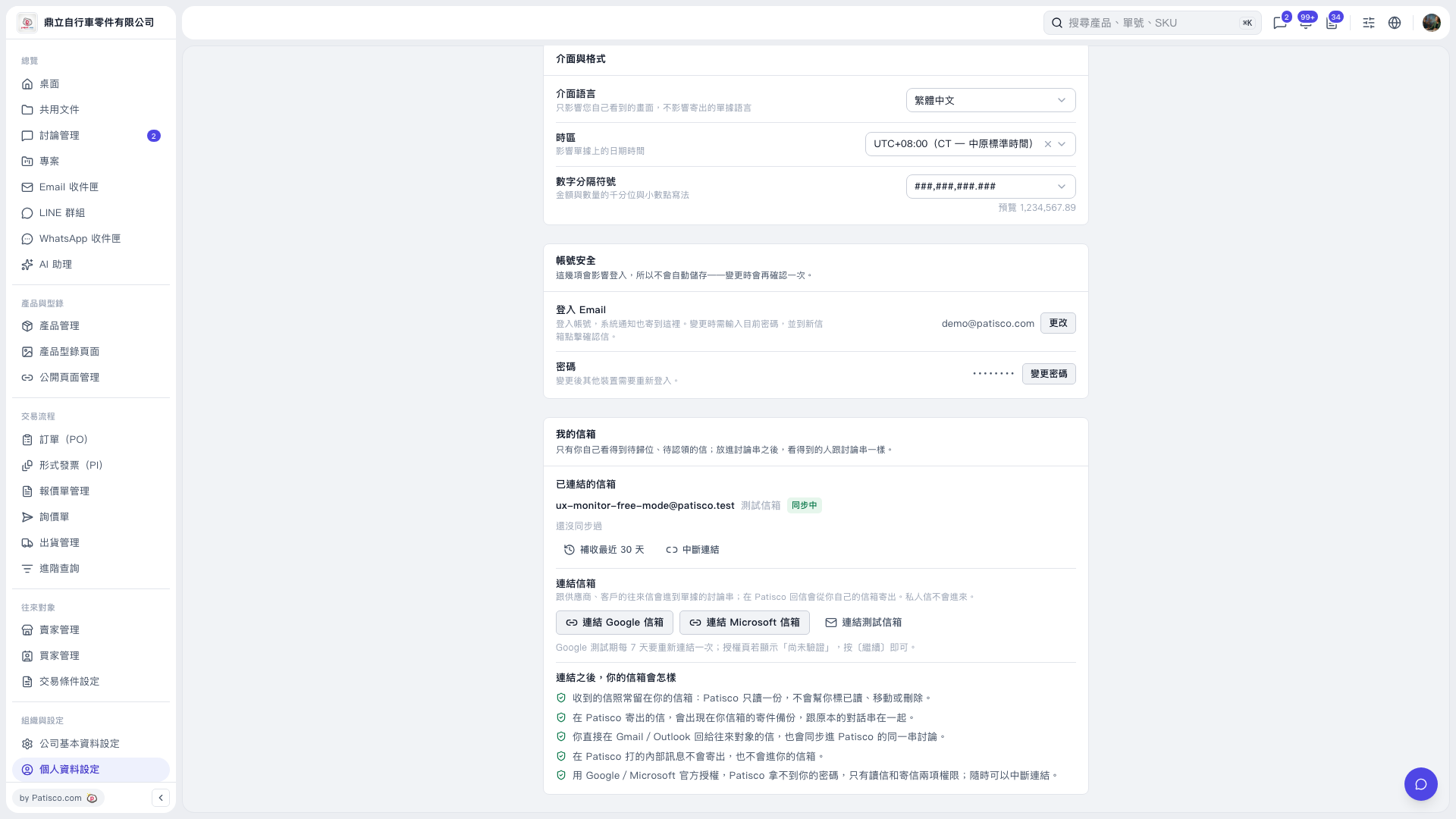 V5 新桌面版|個人資料設定