
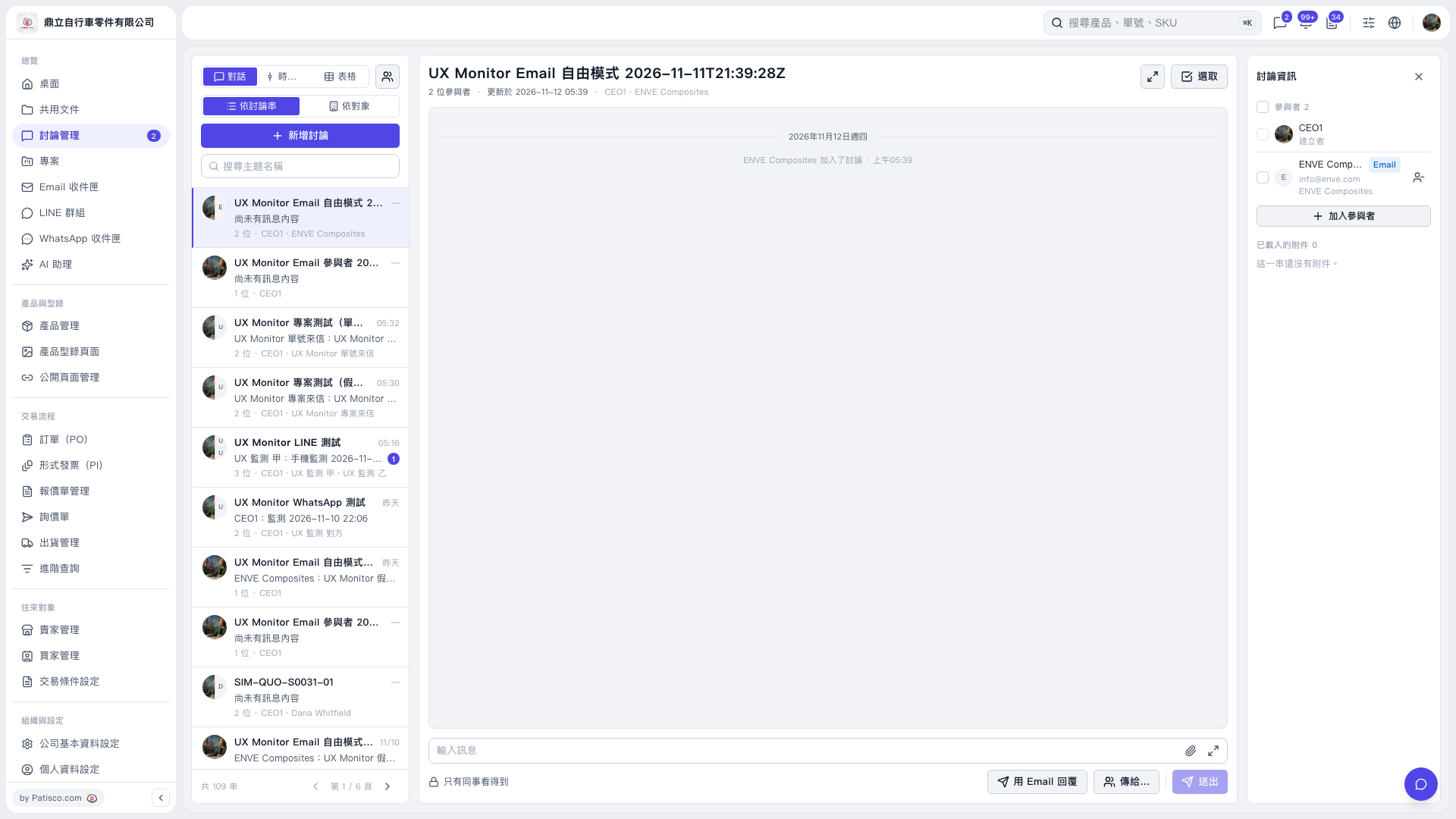
1. Select the discussion you want to reply to from the discussion list on the left. You can also use “Search topic name” to find it. 2. Check “Participants” and “Email addresses” on the right. Click “Add participant” if you need to add someone. 3. Click “Reply by email”, then use “To…” to confirm the recipients. 4. Write your message in “Enter message”. To attach files, click the paperclip icon on the right side of the input box and check “Loaded attachments”. 5. After confirming the recipients, content, and attachments, click “Send”.
 V5 新桌面版|UX Monitor Email 自由模式 2026–11–11T21:39:28Z