
1. Enter a keyword in “Search topic name” on the left, then select a thread from the list. 2. Write your message in “Enter message” at the bottom. To attach files, click the attachment icon on the right side of the input box. 3. Confirm the recipients and who can see the message. The screen currently shows “Only colleagues can see this”. Click “To...” to set the recipients. 4. Click “Send” to send the message.
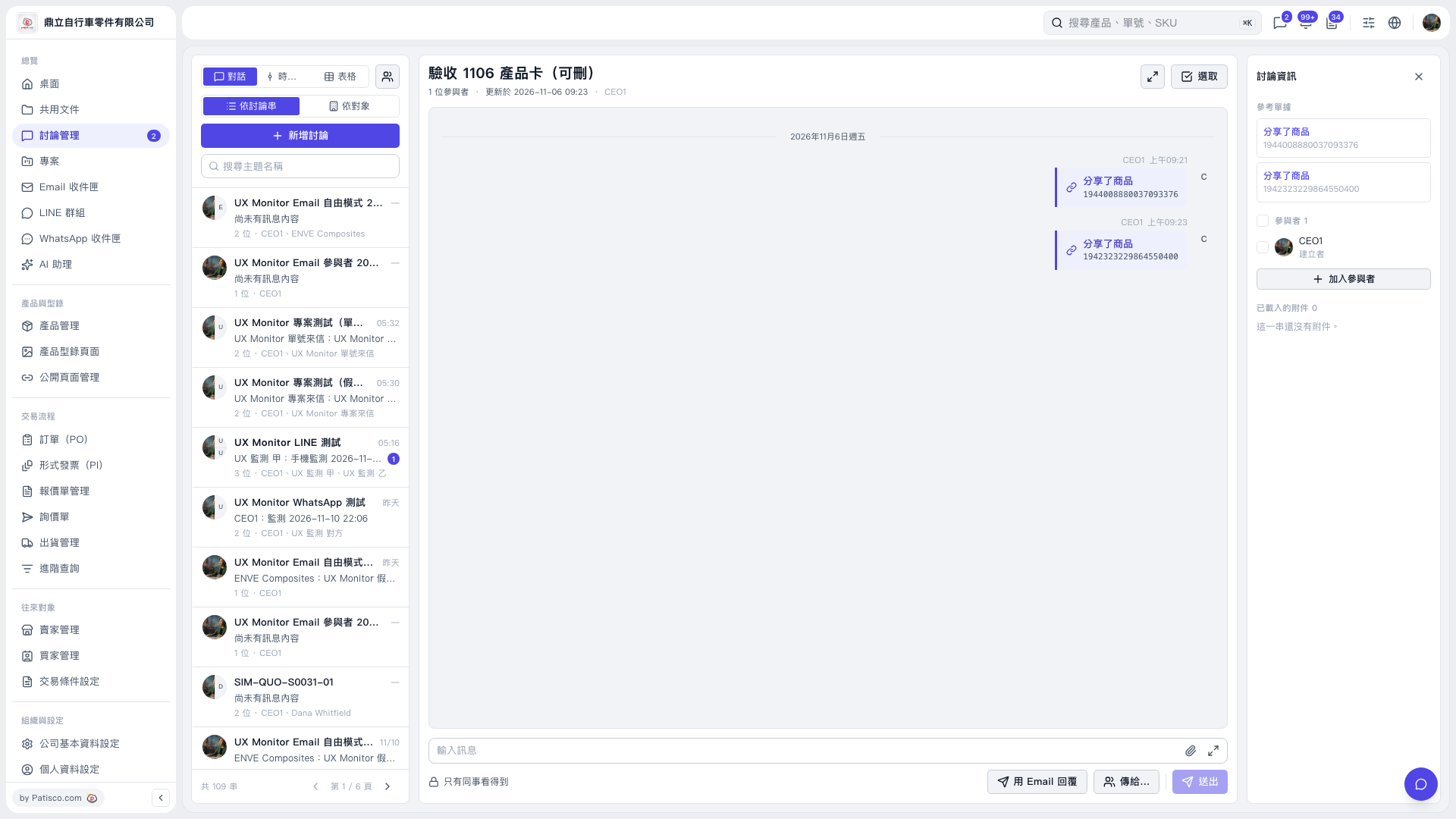 V5 新桌面版|驗收 1106 產品卡(可刪)