
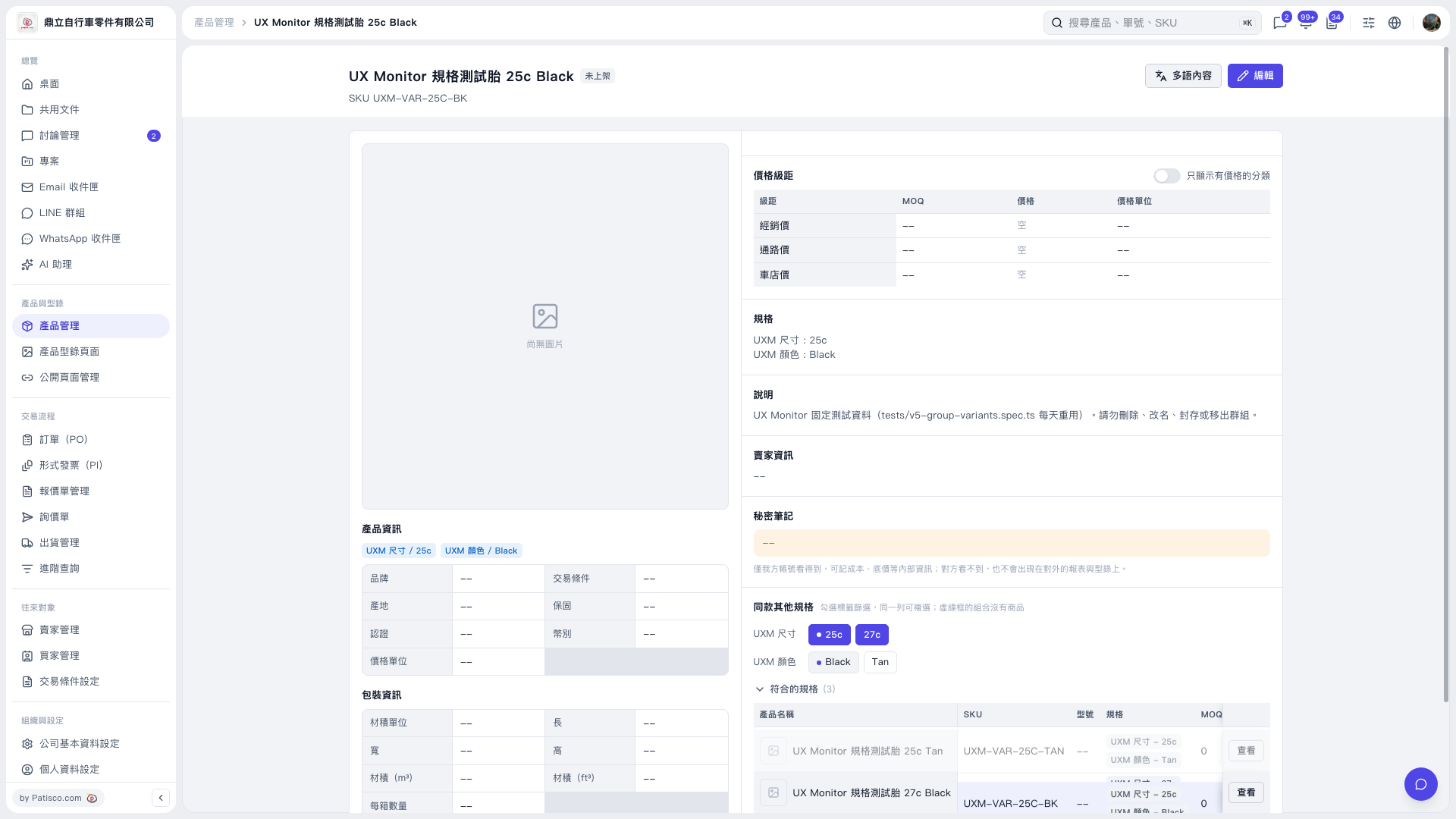
1. Find “Other variants of this product” at the bottom right of the product details page. 2. Select “25c” in the “UXM Size” row to show 2 matching results, then also select “27c” in the same row to increase the results to 3. You can select multiple options in the same row to include products matching any selected size. 3. Select “Black” in the “UXM Color” row. This narrows the results to 2 products that are either 25c or 27c and are Black. 4. Expand the “Matching variants” list and click “View” to the right of the product you want to open its variant details page. 5. Deselect “Black” to show all 3 results for the selected sizes again.
 V5 新桌面版|UX Monitor 規格測試胎 25c Black