1. On the public page settings page, scroll to the “Countries not accepted for orders” section. 2. Click the “×” next to the label for the country you want to remove the restrictions from. 3. Click “Save” to apply the changes.
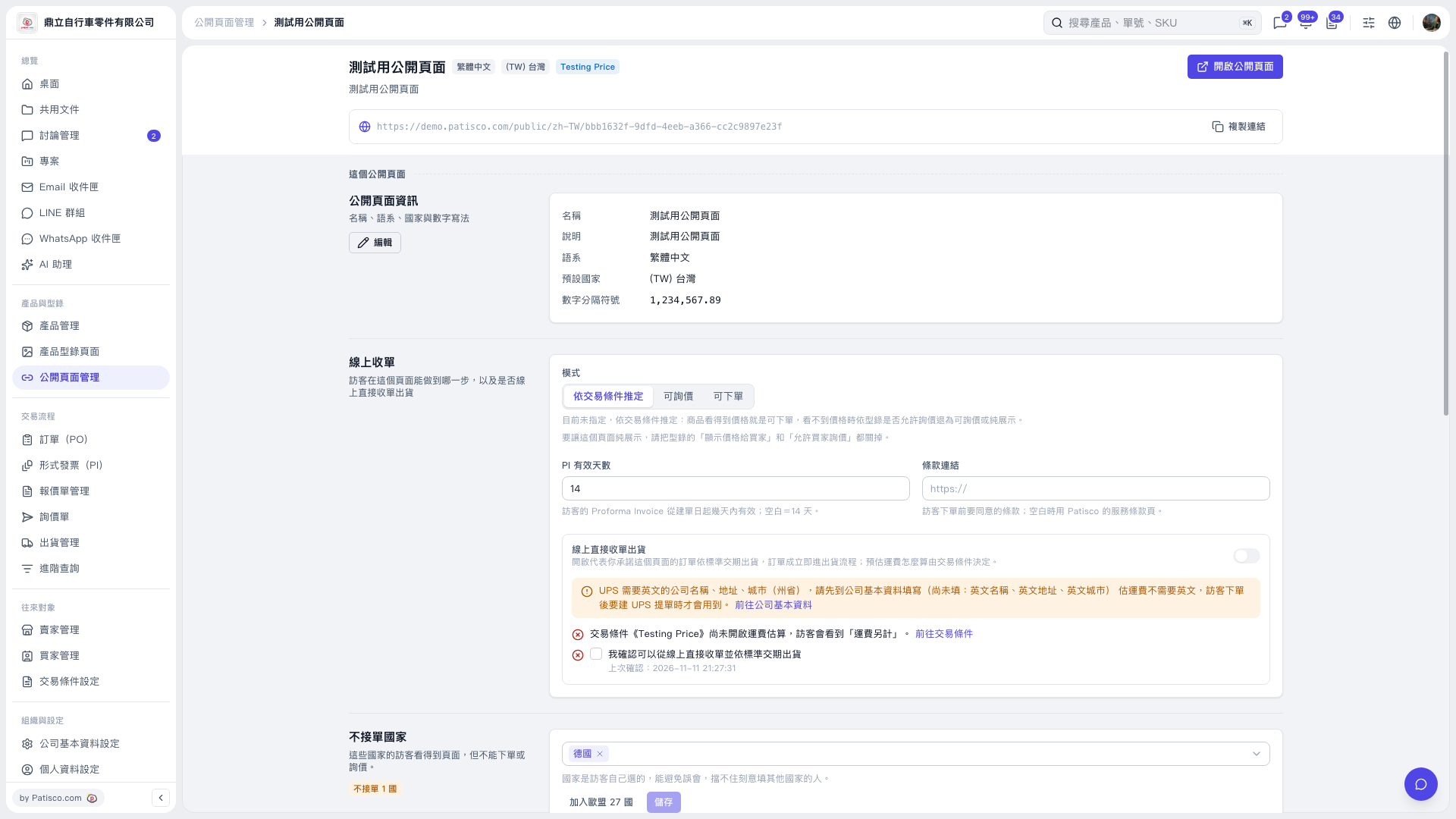 V5 新桌面版|測試用公開頁面

1. On the public page settings page, scroll to the “Countries not accepted for orders” section. 2. Click the “×” next to the label for the country you want to remove the restrictions from. 3. Click “Save” to apply the changes.
V5 新桌面版|測試用公開頁面