
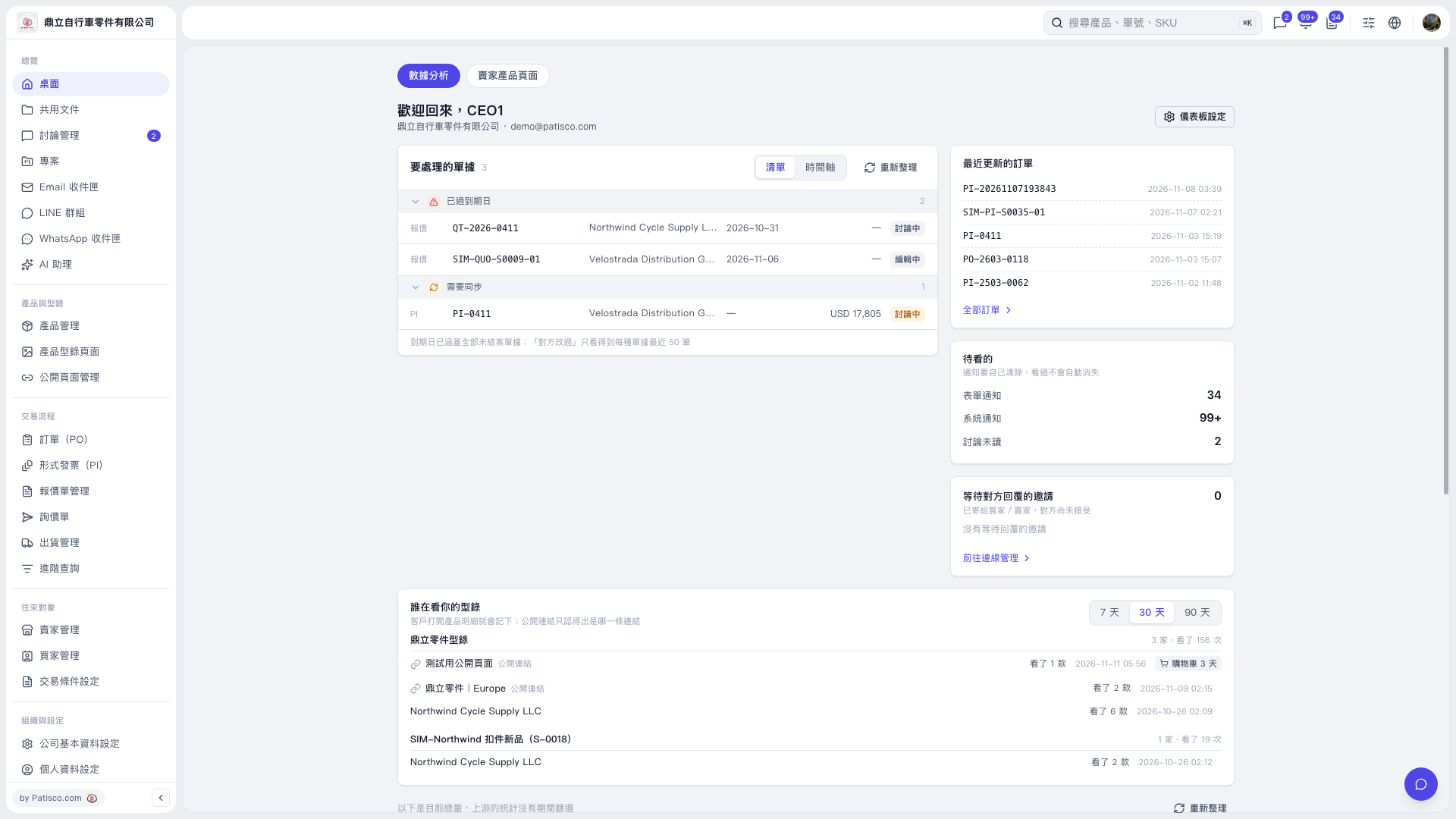
1. Open “Analytics” from “Desktop” and find the “Who is viewing your catalog” section. 2. Click “7 days”, “30 days”, or “90 days” at the top right to change the reporting period. The current screen has “30 days” selected. 3. Review details such as “Catalog name”, “Viewing company or public link”, “Number of products viewed”, and “View time”.
 V5 新桌面版|桌面/數據分析