
1. Click “The Other Party Has Made Changes. Click Here to Compare” in the upper-right corner to view their changes. 2. Check the buyer and seller information, expiration date, trading conditions, and item details. 3. To modify the inquiry data, click “Edit” in the upper-right corner. To communicate, click “Discussion”. 4. After checking the details and making any necessary changes, click “Confirm” in the upper-right corner.
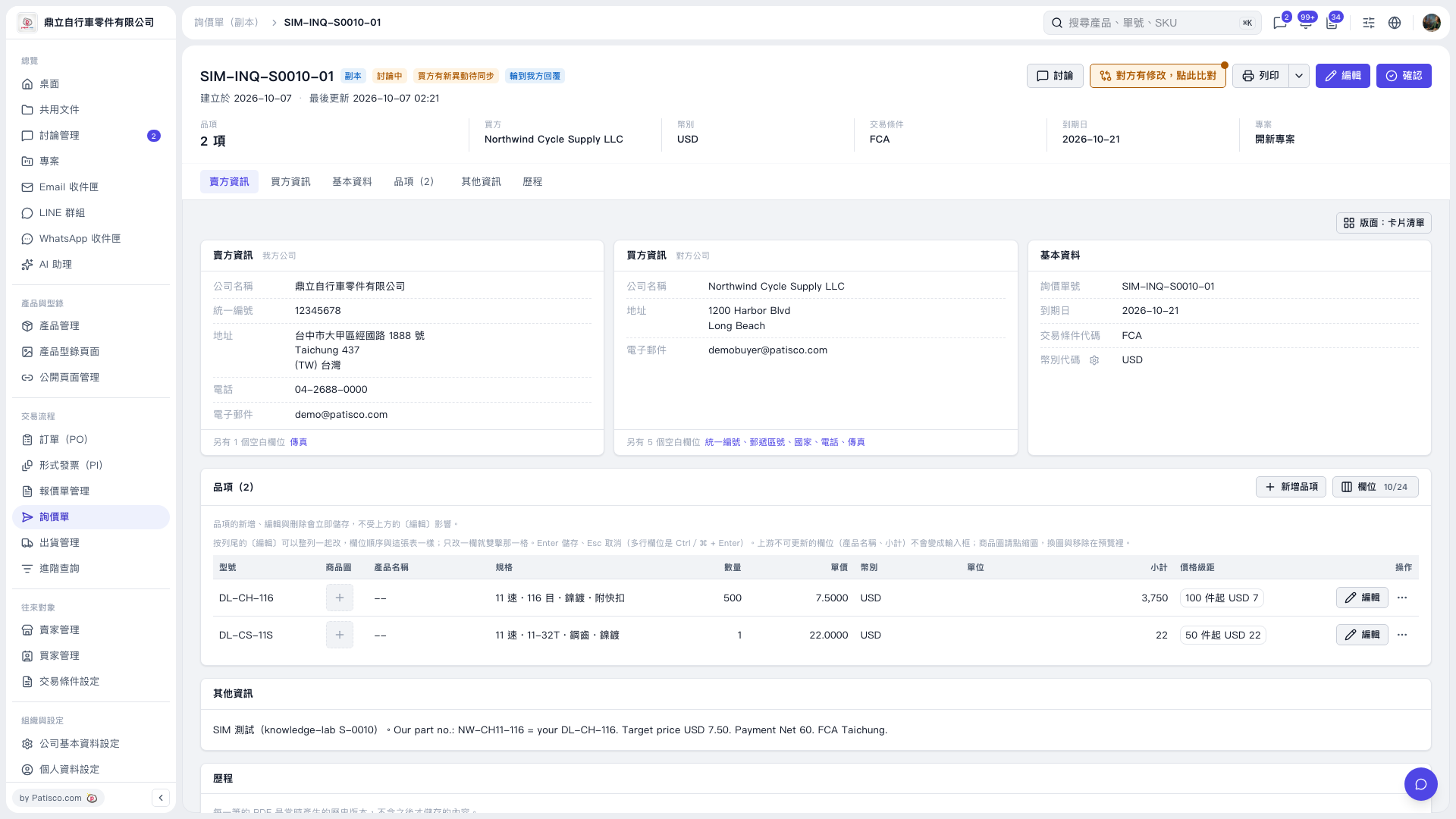 V5 新桌面版|SIM–INQ–S0010–01