
1. On the product details page, click “Edit” in the upper-right corner to enter the editing screen and add a price tier. 2. For example, under “Dealer Price”, keep the first tier with an MOQ of 100 and a price of 10, then add a second tier with an MOQ of 500 and a price of 8. Save when finished. 3. Return to the details page. In the “Price Tiers” table, confirm that both entries appear under “Dealer Price” and that the “Changes Saved” notification appears.
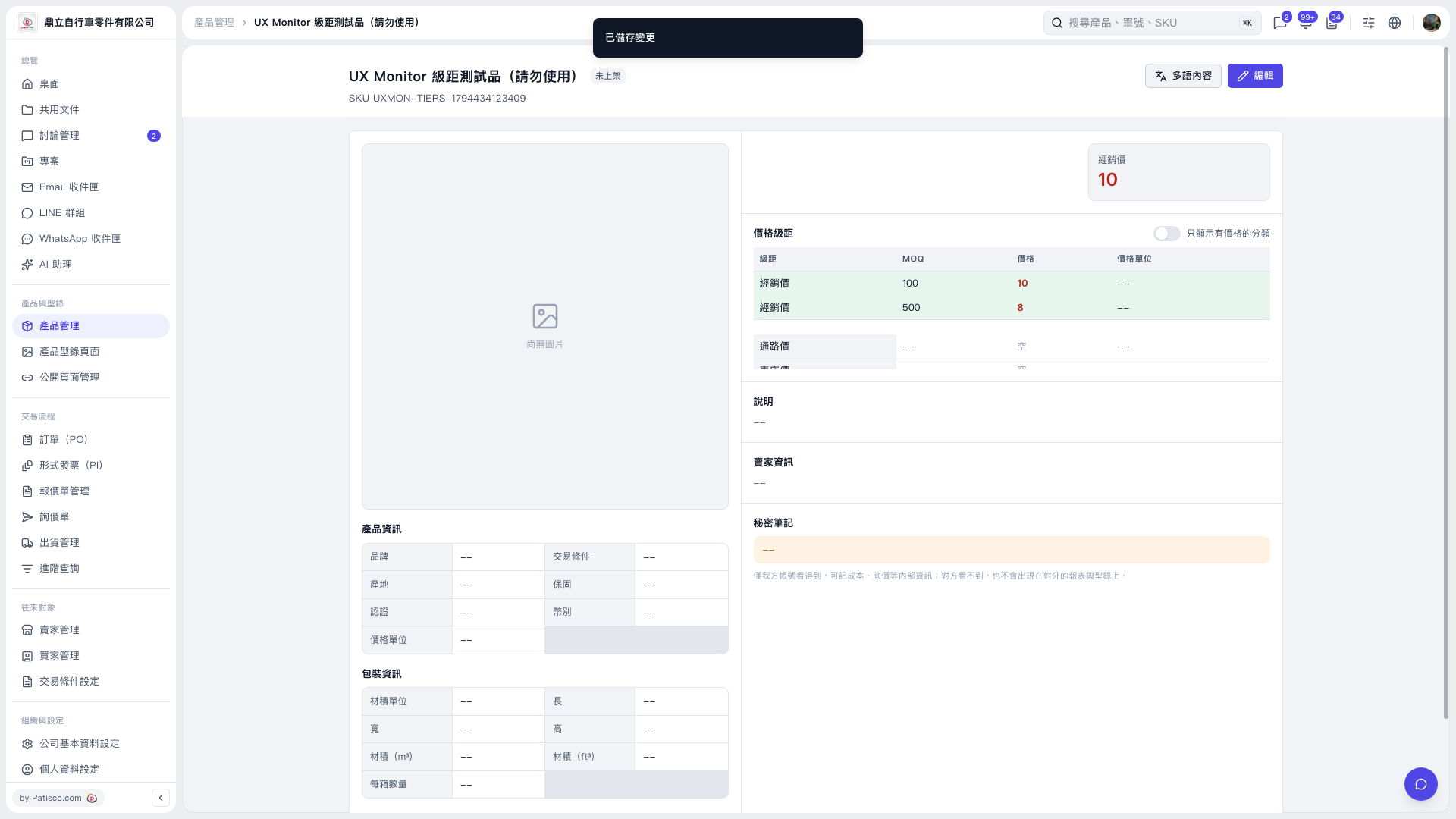 V5 新桌面版|UX Monitor 級距測試品(請勿使用)