
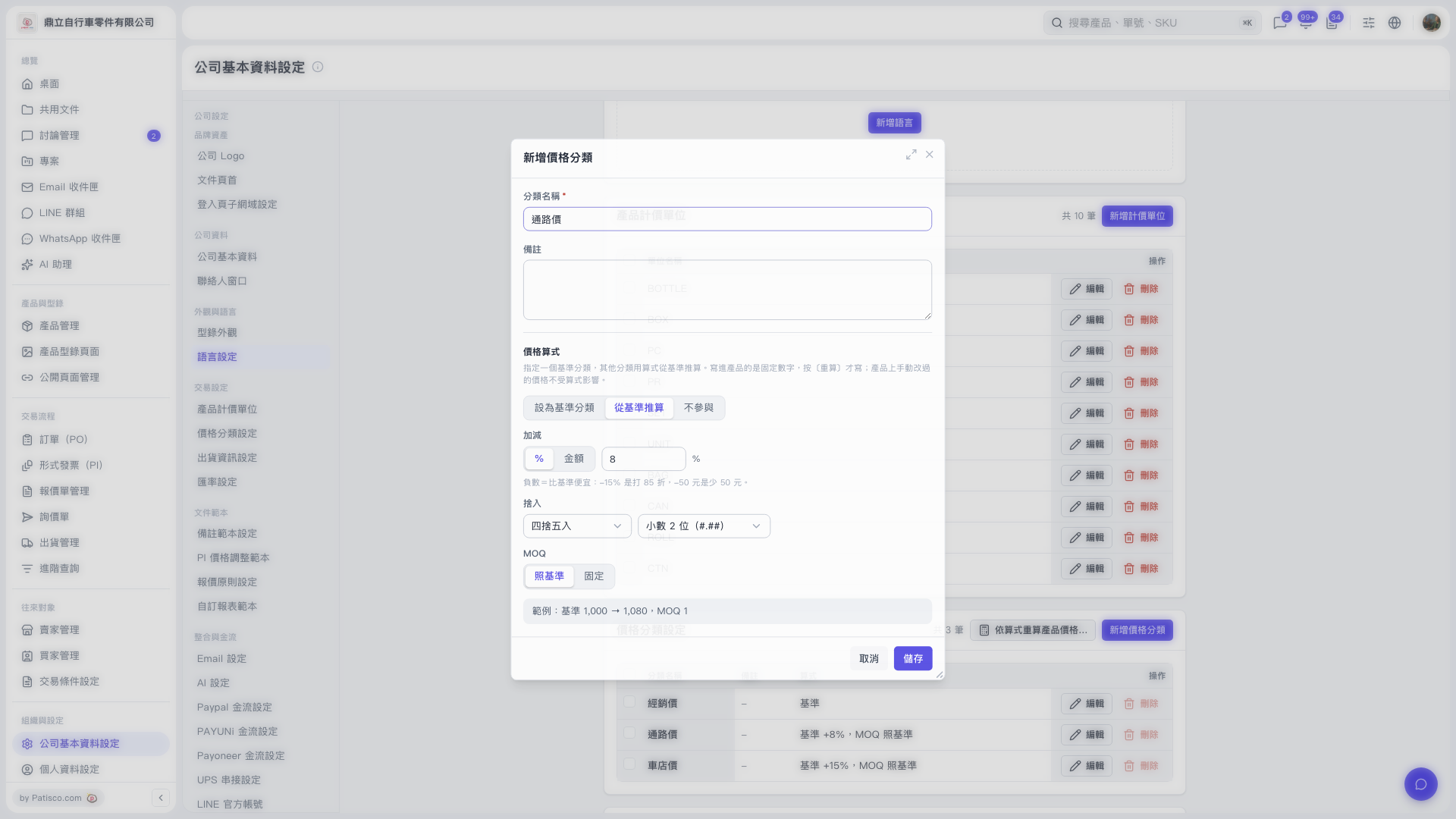
1. In the price categories section of "Company Basic Information Settings", click "Add Price Category". 2. Enter the required "Category Name", such as "Channel Price", and fill in "Notes" if needed. 3. Under "Price Formula", select "Calculate from Base". 4. Under "Adjustment", select "%" and enter 8 to add 8% to the base price. Enter a negative number to apply a discount or price reduction. 5. Under "Rounding", select "Round to Nearest" and "2 Decimal Places". 6. Set "MOQ" to "Same as Base" and check the "Formula Example". With a base price of 1000, adding 8% gives 1080. 7. After confirming the settings, click "Save".
 V5 新桌面版|公司基本資料設定