
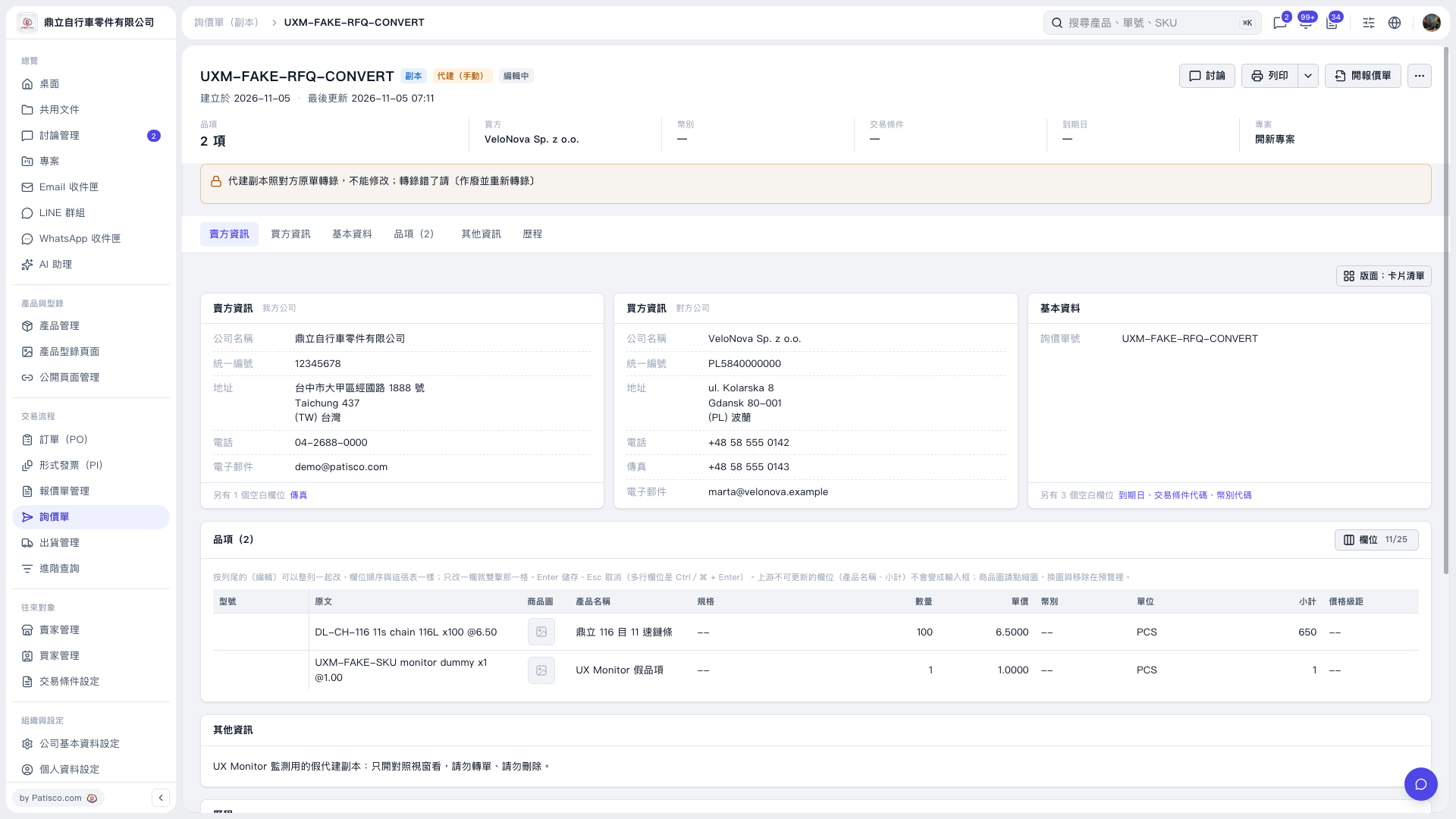
1. Open the inquiry proxy copy and first check the inquiry number, buyer name, and proxy copy status. 2. Click “Seller information,” “Buyer information,” and “Basic information” at the top to view each section. 3. Click “Items (2)” and check the products, quantities, unit prices, and subtotals. To adjust the displayed columns, click “Columns 11/25” in the upper-right corner of the item table. 4. Check the operation restrictions under “Other information.” This record is test data for monitoring and is for viewing only. Do not click “Create quotation” to convert it, or delete it.
 V5 新桌面版|UXM–FAKE–RFQ–CONVERT