
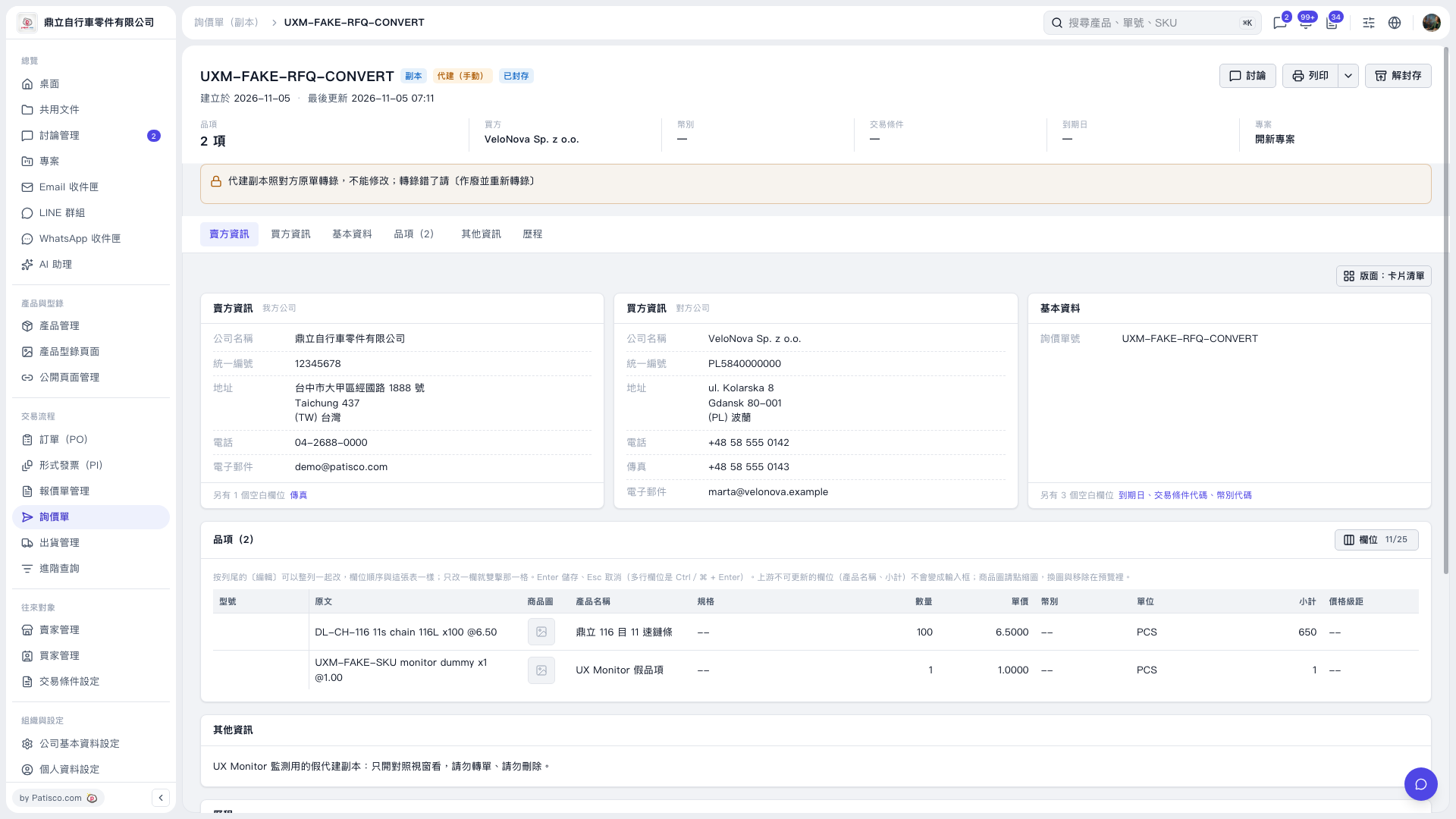
1. Open the inquiry and check the inquiry number in the header, along with the “Copy,” “Created on behalf (manual),” and “Archived” statuses. 2. Click “Seller information,” “Buyer information,” “Basic information,” or “Items (2)” to view the data and check product names, quantities, and unit prices. To view the activity log, click “History.” 3. Normally, you can click “Unarchive” in the upper-right corner to unarchive an inquiry. However, this inquiry is marked as being for monitoring and viewing only. Please only view it; do not convert or delete it.
 V5 新桌面版|UXM–FAKE–RFQ–CONVERT