
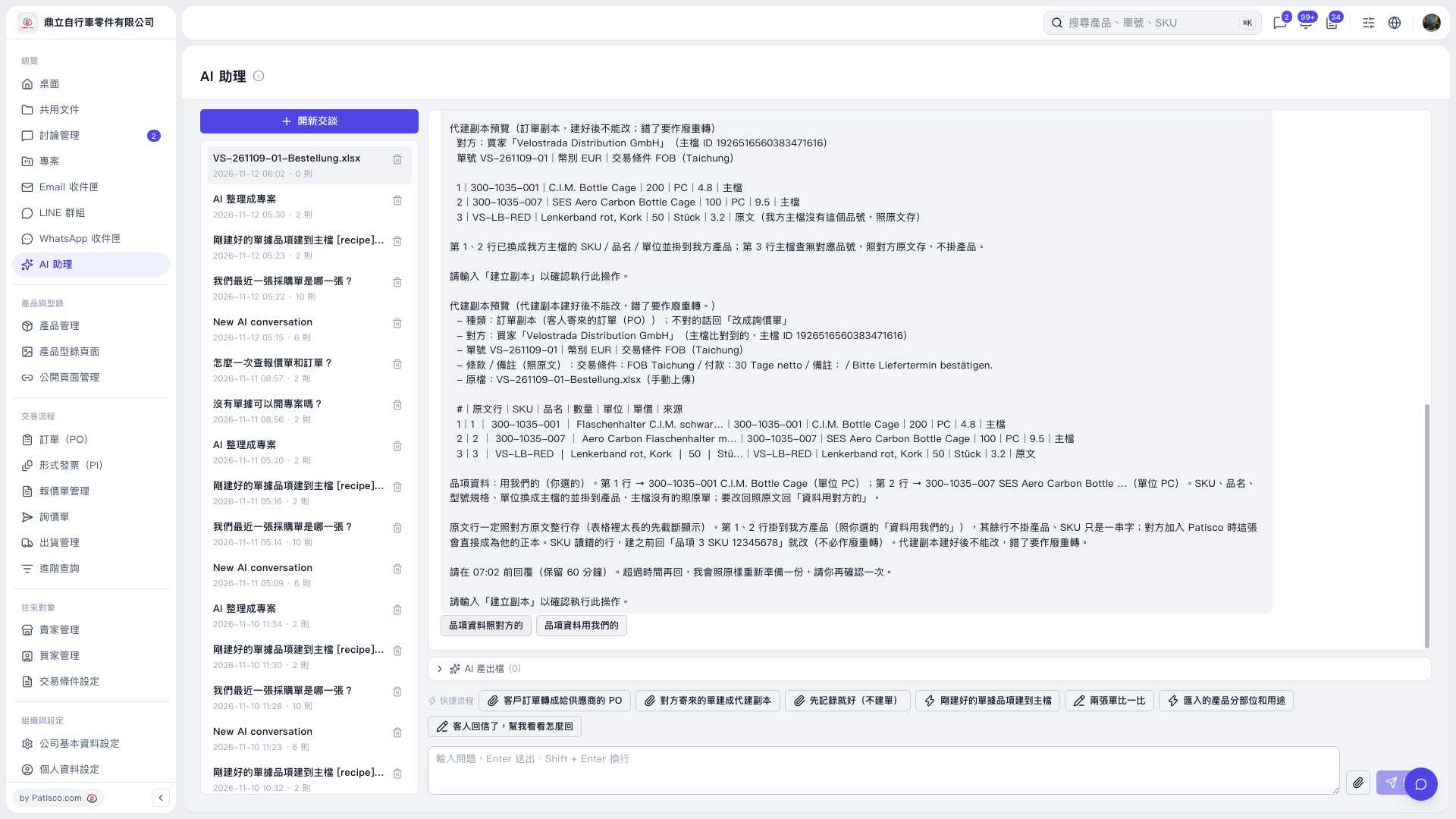
1. In the “Message input box,” specify the item and SKU to correct, then click the “Send icon.” You can ask: “Item 3 SKU 12345678.” 2. After AI updates the preview, check it again to confirm that the item mapping and other data are correct. 3. Once everything is correct, enter “Create copy” and press Enter or click the “Send icon” to confirm execution. A proxy copy cannot be edited after it is created. If the data is incorrect, it must be voided and transcribed again.
 V5 新桌面版|AI 助理