
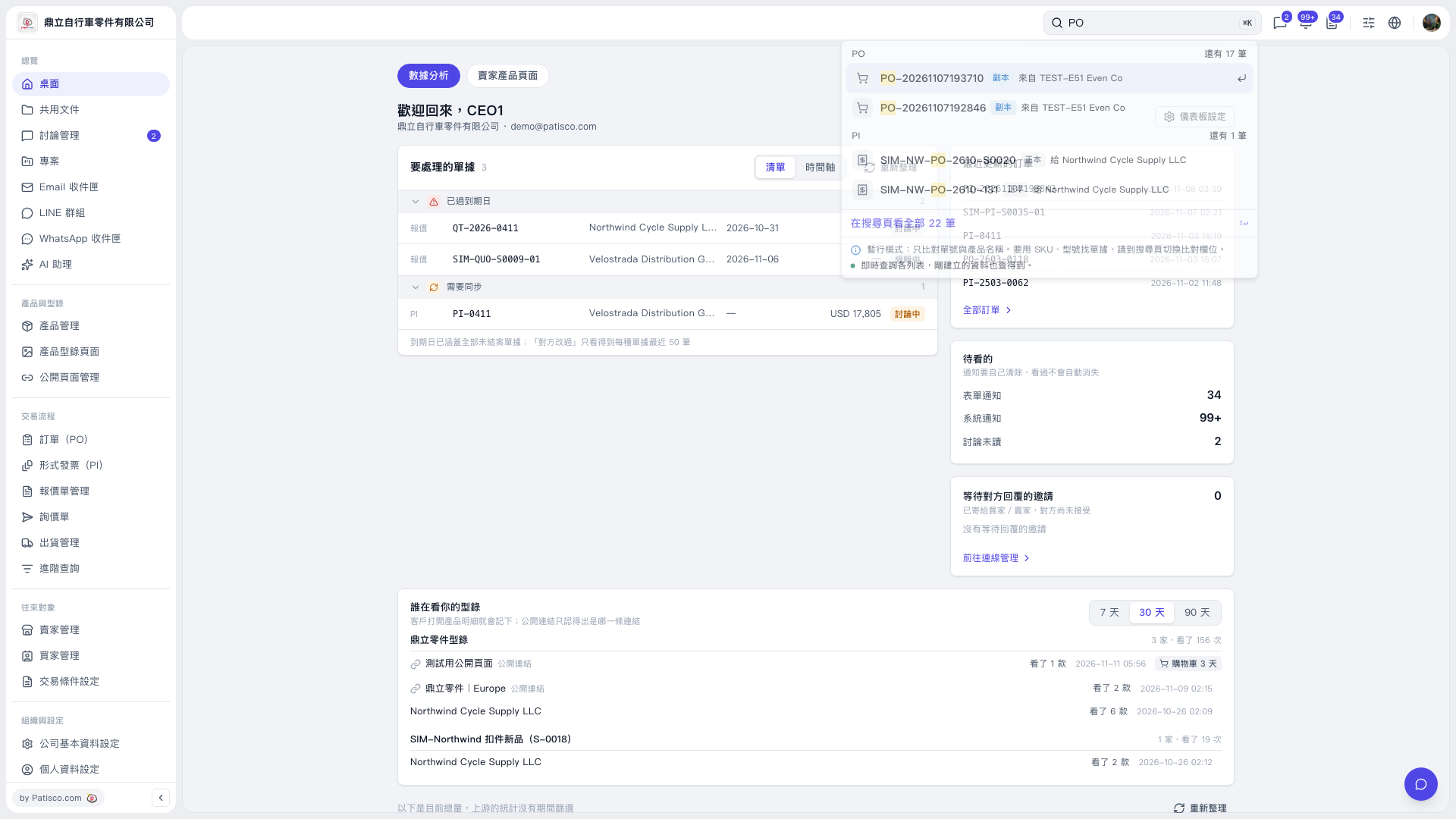
1. Enter a document number or product name, such as “PO”, in the search box at the top right of the desktop. 2. In the results panel below the search box, check groups such as PO and PI, and find the data you need by document number and trading partner. 3. Click the target document number to open the corresponding document. 4. If the panel does not show the data you need, click “View all 22 results on the search page” to see the complete search results.
 V5 新桌面版|桌面(數據分析)