
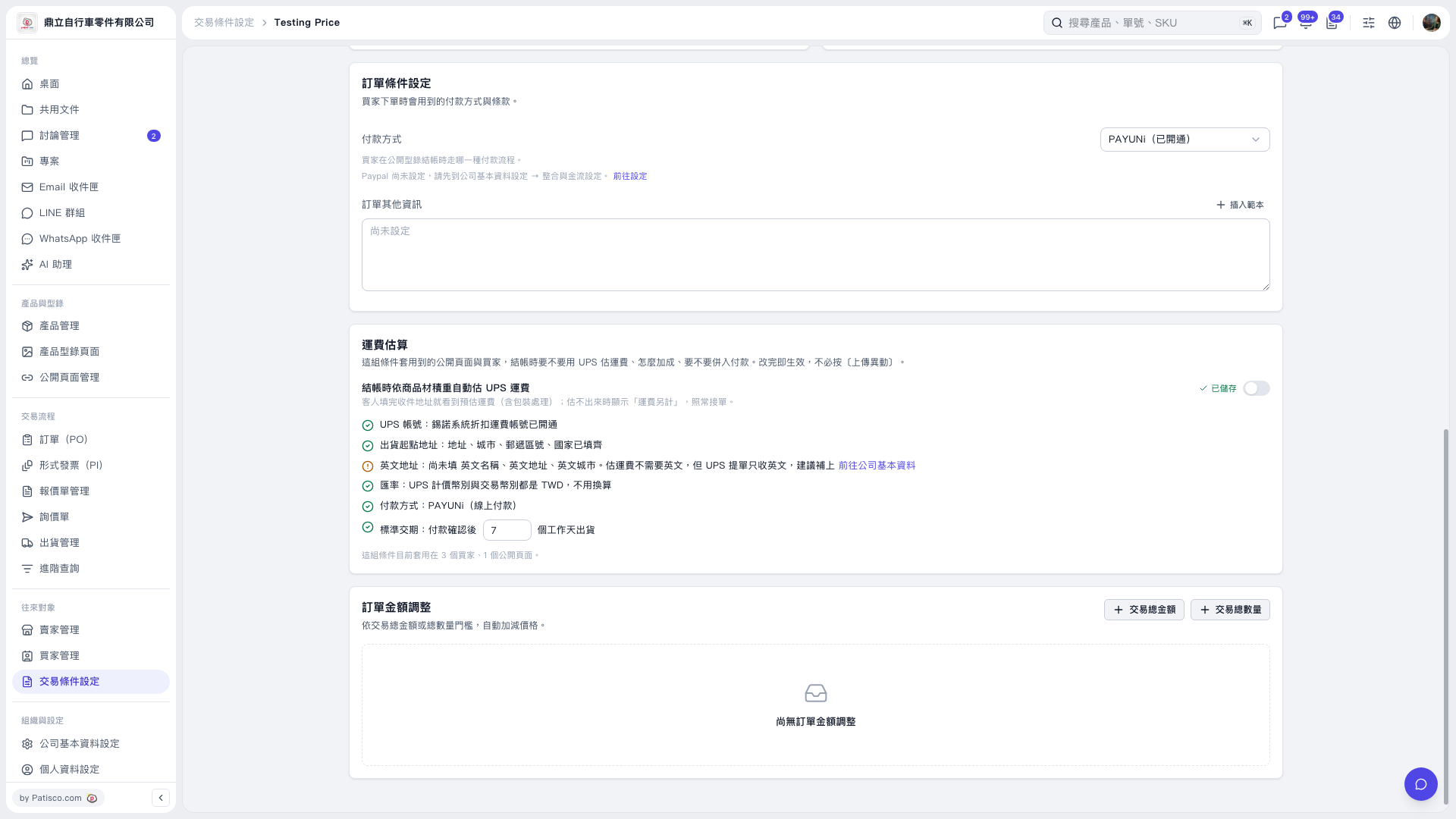
1. In the “Shipping Cost Estimate” section of the “Testing Price” trading conditions, confirm that the UPS account is enabled, and complete the shipping origin address, city, postal code, and country. 2. If the English information is incomplete, click “Go to Company Information” and add the company name, address, and city in English. 3. Confirm the UPS billing currency, transaction currency, and “Payment Method”. Adjust the number of business days in “Standard Lead Time” to match your shipping arrangements. 4. Turn on the switch to the right of “Automatically estimate UPS shipping costs at checkout based on product dimensional weight”. The switch on the current screen is off. 5. Confirm that “Saved” appears next to the switch. Buyers will see the estimated shipping cost after entering their delivery address. If an estimate cannot be calculated, “Shipping charged separately” is displayed, and you can still accept the PO.
 V5 新桌面版|Testing Price