
1. Click "Shipping Progress" in the navigation bar below the Proforma Invoice summary. 2. Check "Ordered Quantity", "Shipped", "Scheduled on Shipping Orders", and "Remaining" in the table to confirm the current progress. 3. Click "SIM–SHP–S0020–01" in the "Shipping Order" column to open the corresponding shipping order.
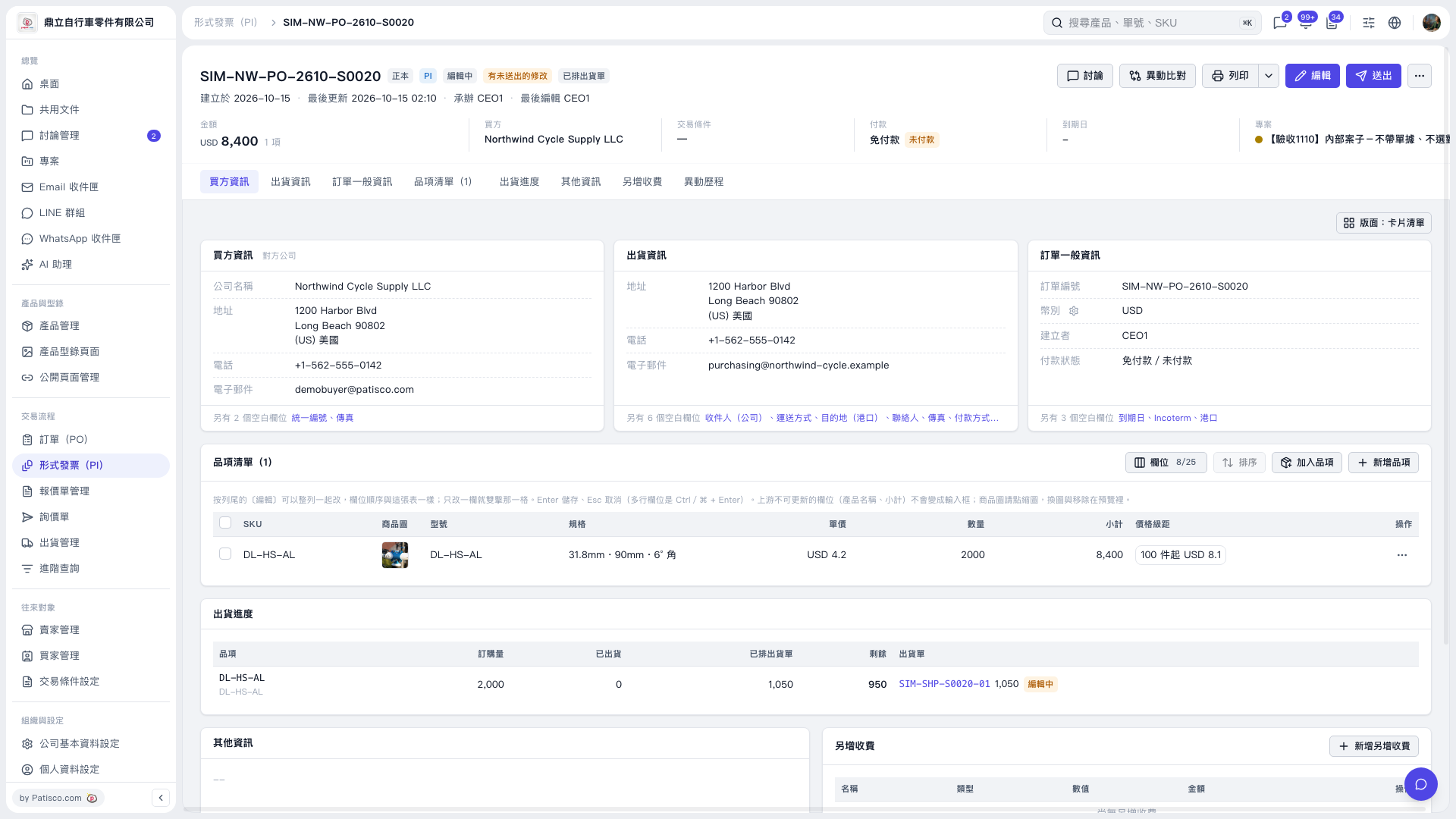 V5 新桌面版|形式發票 SIM–NW–PO–2610–S0020