
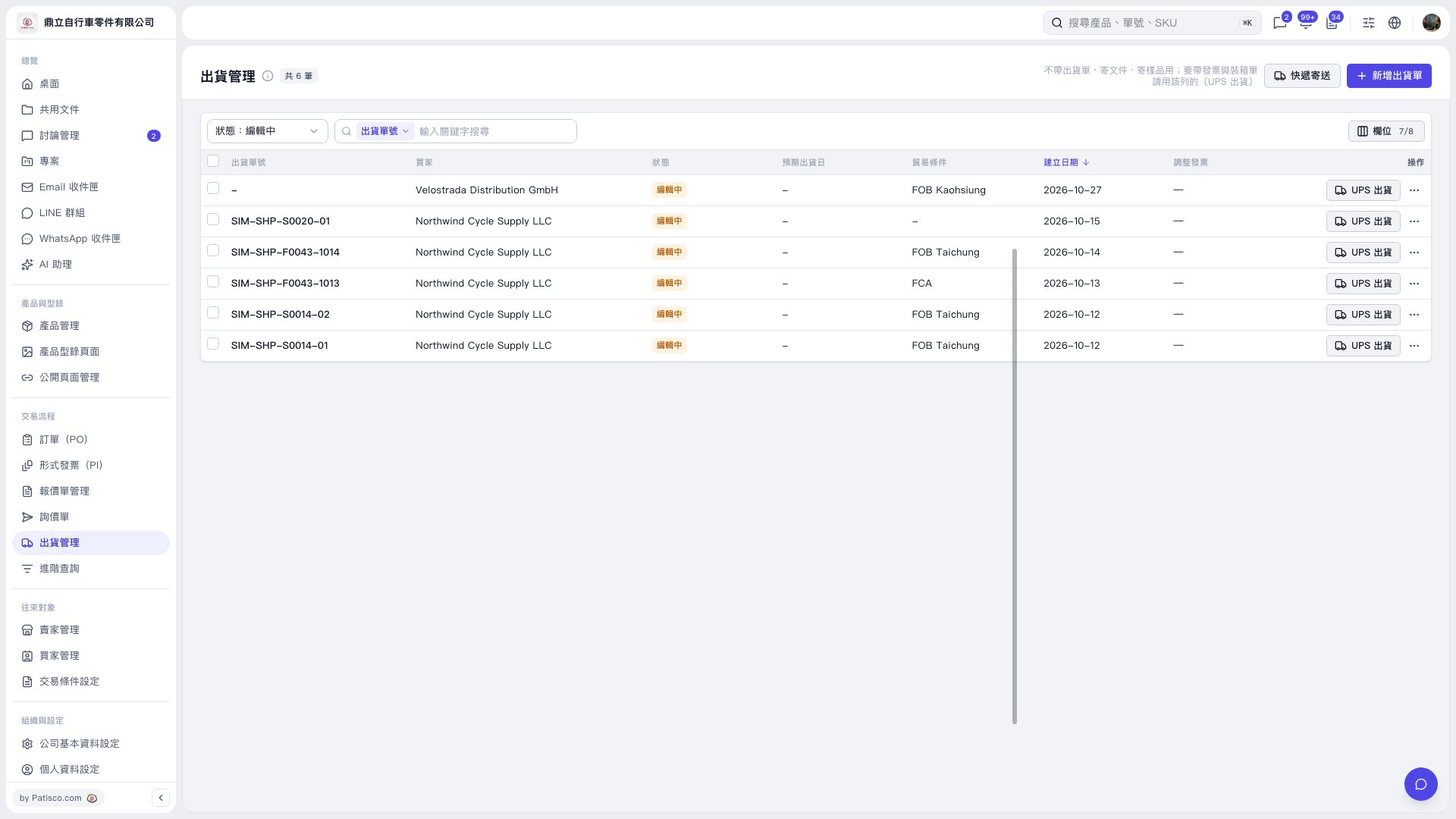
1. On the "Shipping Management" page, use the "Status: Editing" filter above the list or search by "Shipping Order No." to find the shipping order you want to ship. 2. Verify the shipping order number, buyer, and trade terms in that row. 3. Click "UPS Shipping" on the right side of that row to enter the UPS shipping process for this shipping order. 4. If you have not created a shipping order yet, first click "Add Shipping Order" in the upper-right corner. To send documents or samples without a shipping order, click "Courier Shipping".
 V5 新桌面版|出貨管理