
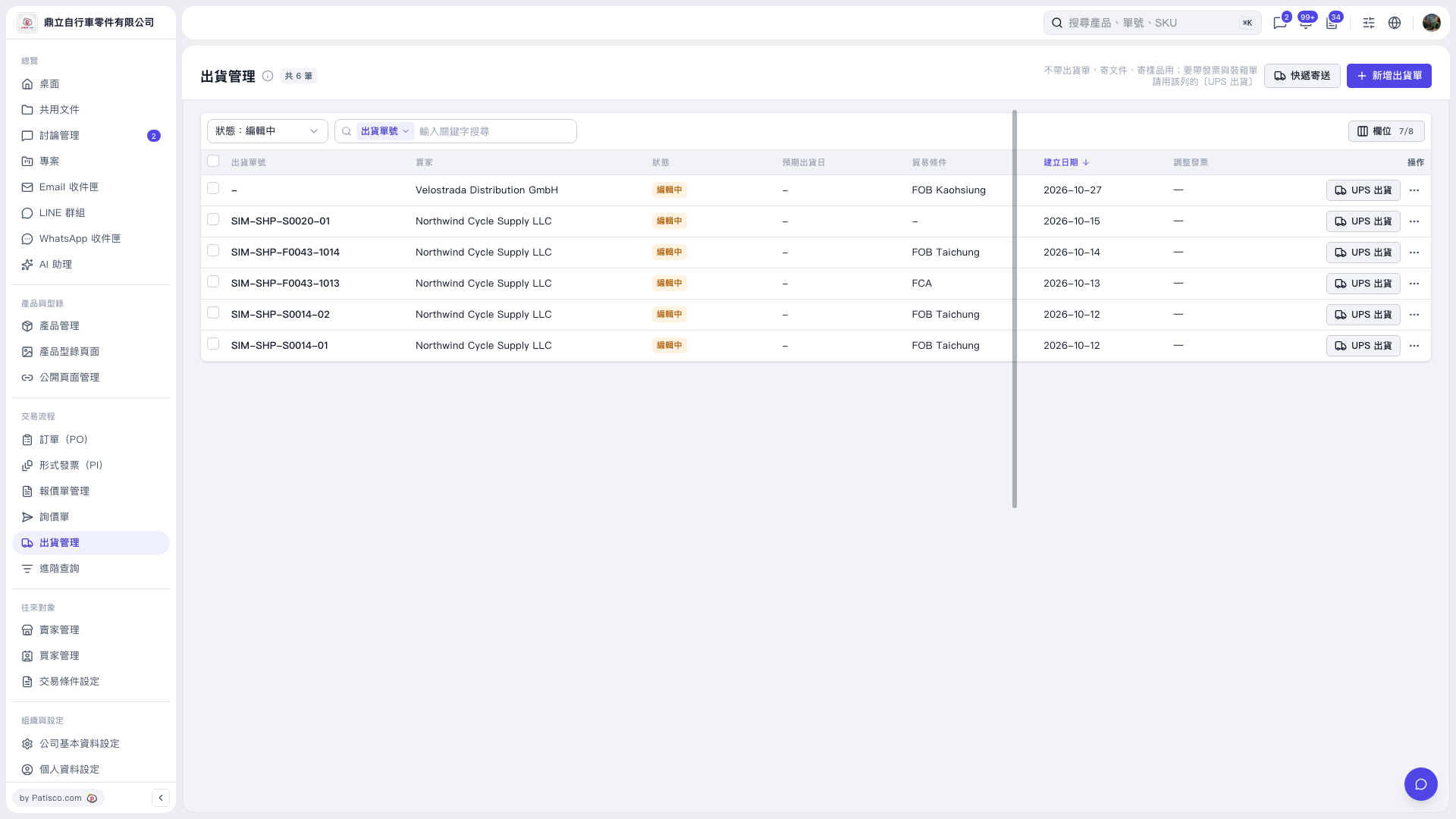
1. Find the shipping order you want to process in "Shipping Management", then click "UPS Shipping" on the right side of that row. 2. If the message shows "Recipient › Contact Person (English): 王", replace the Chinese text in "Contact Person (English)" with English or pinyin. For example, change "王" to "Wang". 3. If the message shows "Pickup Location (Sender) › City: 台、中", change "City" to the correct English name. For example, enter "Taichung" for 臺中. 4. After confirming that all Chinese text identified in the messages has been changed to English or pinyin, submit again.
 V5 新桌面版|出貨管理