
1. In the desktop's "Analytics" view, scroll down to the "Who is viewing your catalogs" section. 2. Click "7 days" or "30 days" to switch the reporting period you want to view. 3. Find the catalog you want to check, then view the visitors, the number of product models viewed, and the viewing time listed below it. For example, the data shows that "Northwind Cycle Supply LLC" viewed 5 models in the "Ding Li Parts Catalog". 4. To view buyer details, click the corresponding buyer name. The current screen does not display identifiable details, so subsequent fields and actions could not be confirmed.
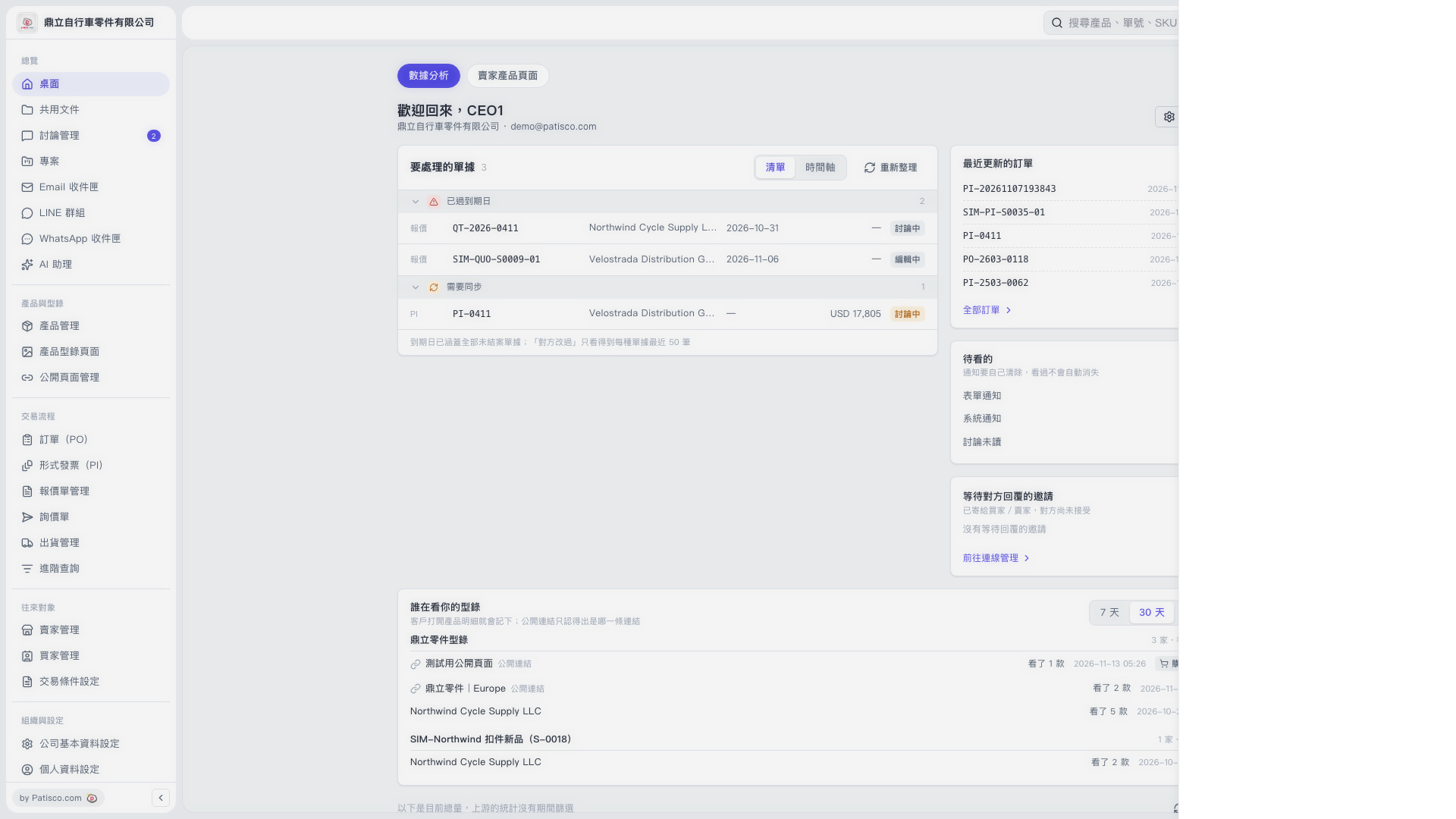 V5 新桌面版|桌面(數據分析)